

Squarespace pricing in 2026 comes down to three plans: Basic at $12/month, Core at $17/month and Advanced at $25/month when you pay for a year up front, or $19, $27 and $36 if you pay month to month. The sticker price is only part of the bill, though. Transaction fees, card processing, the domain after year one and the billing cycle you pick all change what you actually pay.
We make Youmake, an AI app builder that creates a website, web app, mobile app or slide deck from a plain-language description, so we look at website pricing for a living. Everything below comes from Squarespace's own pricing page and help center, checked on October 27, 2026. We didn't buy a Squarespace plan to test it, so you'll find published facts and the math behind them here, not invented benchmarks.
Disclosure: Youmake is an alternative to Squarespace. We've stuck to Squarespace's own published numbers, including where it's the better fit.
Squarespace plans at a glance
| Plan | Paid annually | Annual total | Paid monthly | Online store transaction fee | Digital content and memberships fee |
|---|---|---|---|---|---|
| Basic | $12/mo | $144/yr | $19/mo | 2% | 7% |
| Core | $17/mo | $204/yr | $27/mo | 0% | 5% |
| Advanced | $25/mo | $300/yr | $36/mo | 0% | 0% |
Prices are in US dollars. Squarespace says paying annually saves "up to 36%." There's no free plan. Every site starts with a 14-day free trial, and the pricing page says no credit card is required for it.
How much does Squarespace cost per year?
The gap between monthly and annual billing is bigger than it looks on a per-month basis. Over twelve months:
| Plan | 12 months on monthly billing | 12 months on annual billing | Difference |
|---|---|---|---|
| Basic | $228 | $144 | $84 |
| Core | $324 | $204 | $120 |
| Advanced | $432 | $300 | $132 |
Annual billing also brings the free domain (below), so if you know you'll keep the site for a year, it's the cheaper route by a wide margin. The trade-off is commitment: Squarespace's refund policy gives a full refund on annual plans canceled within 14 days of purchase. After that, annual plans aren't refunded, and monthly plans are never refundable. If you got a free domain with the plan, its cost is deducted from that refund.
Switching works in one direction faster than the other. Moving from monthly to annual takes effect right away, with a prorated credit for the unused part of the month. Moving from annual to monthly waits until the current cycle ends.
What each Squarespace plan includes
All three plans share the core site builder: templates and the drag-and-drop editor, built-in AI tools, mobile-optimized sites, SEO tools, SSL, unlimited bandwidth, 24/7 support, forms, newsletter blocks, unlimited products and services, and checkout on your own domain. The differences show up in a few places:
| Feature | Basic | Core | Advanced |
|---|---|---|---|
| Contributors | 2 | Unlimited | Unlimited |
| AI credits | 10 (one-time) | 20/month | 120/month |
| Video hosting | 30 min | 5 hours | Unlimited |
| CSS/JavaScript customization and code injection | No | Yes | Yes |
| Advanced website analytics | No | Yes | Yes |
| Promotional pop-ups, Mailchimp, Zapier | No | Yes | Yes |
| Shipping labels, carrier-calculated shipping | No | No | Yes |
| Discounts, payment plans, Google Shopping | No | No | Yes |
Basic is a site with two contributors and a light store. The 2% store fee and 7% fee on digital content make it a poor deal once you sell much.
Core is the plan Squarespace recommends. It drops the store transaction fee to 0%, opens up custom code, and gives unlimited contributors.
Advanced is for real e-commerce: the lowest card rate, no fee on digital content, and shipping and discount tools.
Squarespace transaction fees and payment processing
There are two separate charges when you sell, and they're easy to mix up.
1. Squarespace's own transaction fee, set by your plan: 2% of store sales on Basic and 0% on Core and Advanced. For digital content and memberships (courses, video pages, member sites) it's 7% on Basic, 5% on Core and 0% on Advanced.
2. Payment processing, charged on every card payment. Squarespace Payments rates in the US, per its help center:
| Basic | Core | Advanced | |
|---|---|---|---|
| Standard cards | 2.9% + $0.30 | 2.9% + $0.30 | 2.5% + $0.30 |
| Premium cards (American Express and select business cards) | 3.2% + $0.30 | 3.2% + $0.30 | 3.2% + $0.30 |
| International cards | +1.5% | +1.5% | +1.5% |
| Currency conversion | +1% | +1% | +1% |
| ACH direct debit | 1.5% | 1% | 1% |
If you use Stripe or PayPal instead, their own processing rates apply. Squarespace also lists an automated tax fee of 0.15% per transaction on Core and 0.05% on Advanced, each capped at $0.99.
A worked example: $1,000 of physical-product sales on Basic, paid with standard US cards, costs $20 in Squarespace transaction fees on top of 2.9% processing plus $0.30 per order. On Core, the $20 goes away and you pay processing only. That's why Core usually costs less than Basic for anyone with a working store.
The help center also lists a Plus plan (2.7% + $0.30 card rate, 1% on digital products) that Squarespace says is rolling out in waves and may not appear on the pricing page in your country. It wasn't on the US pricing page when we checked.
The free domain and other extra costs
- Domain: annual plans include one year of free domain registration on eligible domains. You have to register it within a year of starting the subscription, it's limited to one per site, and it renews at Squarespace's standard rate plus taxes after the first year. Monthly plans don't get the free domain.
- Older plans: Squarespace no longer sells its earlier Personal, Professional and Premium plans on the pricing page. If you're on one of those or another older plan, your price and fees can differ from the tables above; the help center says to check the Billing panel for your actual price.
Squarespace review: who it fits
Squarespace is a polished template builder. Going by what it publishes, it fits well if you:
- want a good-looking site from a template and are happy to edit it by dragging blocks;
- run a small store, a portfolio or a booking-style business and want hosting, domain, payments and email marketing in one bill;
- don't need to take the site's code with you.
It fits less well if you want the site built for you from a description, need a web app with logins and data, want a mobile app or a pitch deck from the same project, or need the source code in your own GitHub. Squarespace's pricing page lists custom CSS, JavaScript and code injection on Core and up, but it doesn't list exporting your site as code.
If that second list sounds like you, an AI builder is the better tool. You describe the business, the AI builds the site, and you keep the code. Start a 3-day Youmake trial for $1 and build your first version from a prompt.
Squarespace vs Youmake
| Squarespace | Youmake | |
|---|---|---|
| How you build | Pick a template, edit with drag and drop | Describe what you want; the AI builds it, then you refine in chat with a live preview |
| What it builds | Websites and online stores | Websites, web apps, mobile apps and slide decks |
| Entry price | Basic $12/mo yearly or $19 monthly; 14-day free trial | Starter $20/mo ($16/mo yearly); 3-day trial for $1, no free plan |
| Your own domain | Yes, free for the first year on annual plans | Yes, publish to your own domain |
| Code | Custom code on Core and up; export not listed | Export the code or sync to GitHub; import a GitHub repo |
| Integrations | Built-in commerce, Mailchimp, Zapier (Core and up) | GitHub, Supabase, Stripe, Vercel |
Pick Squarespace if you want a template site with a built-in store and you'll never need the code. We recommend Youmake if you'd rather describe the site than assemble it, want an app or slides alongside it, or need the code in accounts you control. Here's how code ownership works in Youmake.
How to do this with Youmake
-
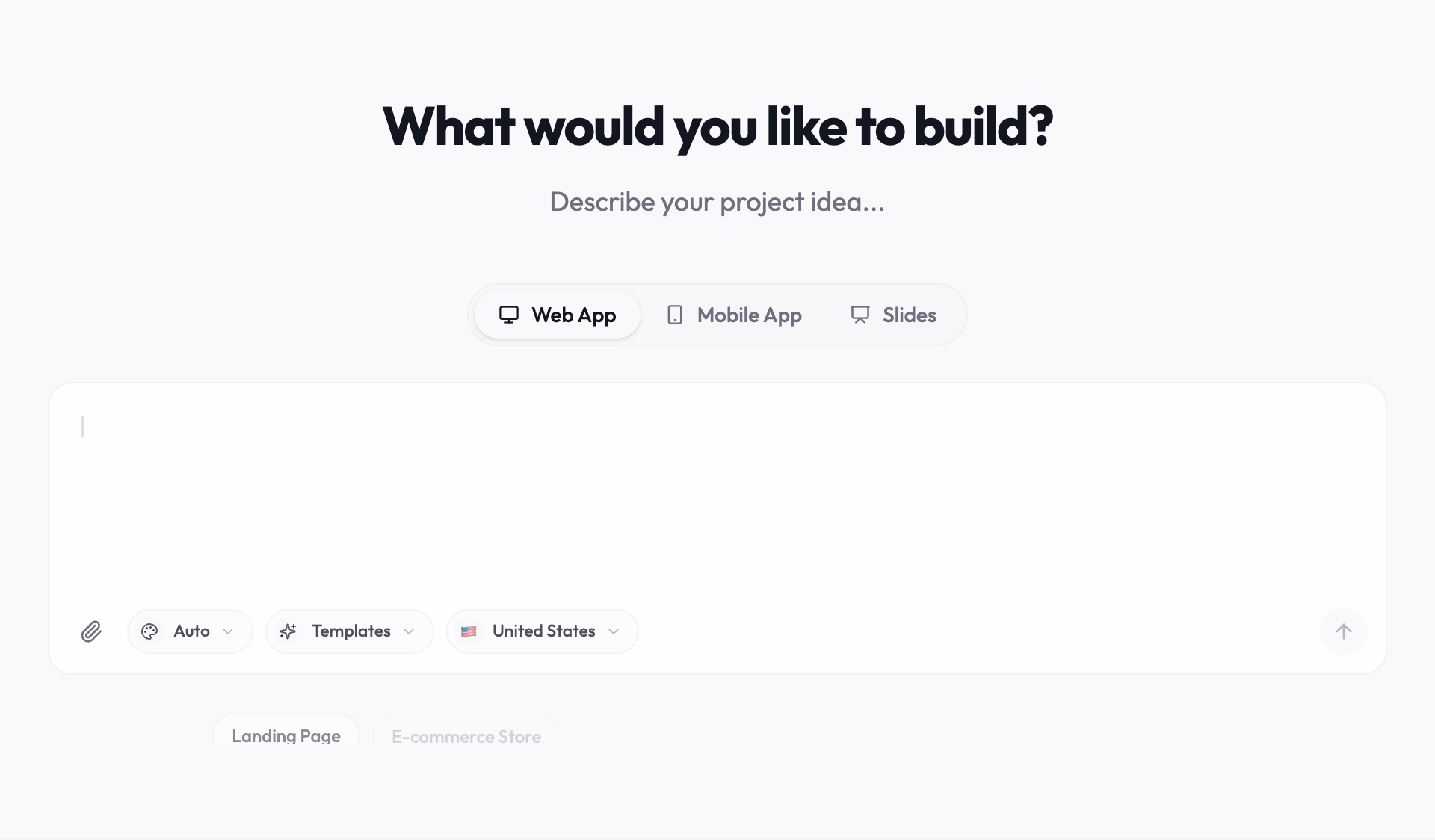
Start a trial at youmake.dev and open the composer.
-
Describe the business and the pages you need. For example:
Build a website for a ceramics studio in Portland: a home page with a large photo and our story, a class schedule, a shop page for 12 pieces with prices, a contact form and a newsletter sign-up. Warm, minimal design with lots of white space.
-
Review the live preview and ask for changes in chat, one at a time ("make the schedule a weekly calendar", "add a FAQ about class refunds"). The credit cost of each change is shown.
-
Connect Stripe if you want to take payments, and Supabase if you need logins or saved data.
-
Run the security scan, publish to your own domain, and export the code or sync it to GitHub whenever you want a copy.
For a quick start, our guide to building a landing page with AI in 60 seconds walks through a single-page version.
Other options to compare
If you're still shopping, our list of the best AI website builders in 2026 compares seven tools with current prices, and the free AI website builder guide shows what the free plans really include. Need more than a site? See the best AI app builders, or check which AI website builders let you export your code. More guides live in the vibe coding and AI app building hub.
FAQ
How much does Squarespace cost? Billed annually: Basic $12/month ($144/year), Core $17/month ($204/year) and Advanced $25/month ($300/year). Billed monthly: $19, $27 and $36. Card processing and, on Basic and Core, some transaction fees come on top.
Does Squarespace have a free plan? No. Squarespace offers a 14-day free trial, and its pricing page says no credit card is required to start it.
Does Squarespace charge transaction fees? Basic charges 2% on store sales and 7% on digital content and memberships. Core charges 0% on store sales and 5% on digital content. Advanced charges 0% on both. Payment processing fees (2.9% + $0.30 per standard US card on Basic and Core, 2.5% + $0.30 on Advanced) apply on every plan.
Is the Squarespace domain free? For the first year, on an annual plan. After that it renews at Squarespace's standard rate plus taxes. Monthly plans don't include it.
Can I get a refund from Squarespace? Annual plans canceled within 14 days of purchase get a full refund, minus the cost of any free domain. Monthly plans and annual plans canceled later aren't refunded.
Want a site built from a description instead of a template? Start a 3-day Youmake trial for $1.
Sources
Checked on October 27, 2026:
- Squarespace pricing, plan comparison and FAQ: https://www.squarespace.com/pricing
- Squarespace transaction fees and payment processing rates: https://support.squarespace.com/hc/en-us/articles/27853679334157-Transaction-fees-and-payment-processing-rates
- Squarespace website refund policy: https://support.squarespace.com/hc/en-us/articles/46051001586701-Website-refund-policy
- Squarespace, change your site's billing plan and cycle: https://support.squarespace.com/hc/en-us/articles/205826008-Change-your-site-s-billing-plan-and-cycle
- Squarespace website platform (legacy) plans: https://support.squarespace.com/hc/en-us/articles/14721894632589-Squarespace-website-platform-plans
- Youmake: https://www.youmake.dev/, https://www.youmake.dev/ai-website-builder and https://www.youmake.dev/features/code-ownership