

Softr is a no-code app builder for business tools: client portals, internal tools and dashboards built on top of data you already have in Airtable, Google Sheets, HubSpot or its own Softr Databases. In this Softr review, the short version is that it's a good fit for teams who want a secure portal over existing data with little setup. It's a weaker fit if you need more than a handful of outside users on a cheap plan, the source code, or anything beyond a web app.
We make Youmake, an AI app builder for websites, web apps, mobile apps and slide decks, so we know this category well. This review is based on Softr's pricing page and documentation, checked on October 27, 2026. We didn't run paid test projects, so there are no made-up benchmark scores here, only what Softr publishes and what it means for you.
Disclosure: Youmake competes with Softr. We've kept to Softr's own published facts, including where it's stronger.
Softr review at a glance
| Softr | |
|---|---|
| What it builds | Business apps on top of a data source: client portals, internal tools, dashboards |
| How you build | AI Co-Builder from a prompt, then a no-code block editor |
| Data | Softr Databases, or a connection to Airtable, Google Sheets, HubSpot, Notion, Salesforce, SQL and others |
| Free plan | Yes, "free forever": 5 AI credits a month, up to 3 builders, 5 app users |
| Cheapest paid plan | Basic, $19/month billed yearly |
| Remove Softr branding | From Pro, $99/month billed yearly |
| Installable mobile app | PWA, listed on Business ($329/month billed yearly) |
| Source code export | Not described on the pricing page or in the docs we checked |
What is Softr?
Softr's docs call a client or partner portal that shares Airtable data with external users "one of the most common usages of Softr," and it now has its own database too. Softr's docs recommend Softr Databases if you're starting from scratch, and say Softr "connects natively to over 20 different data sources" if your data lives elsewhere.
You assemble an app from blocks (lists, tables, kanban boards, calendars, charts, forms), set user groups and permissions, and publish to a Softr subdomain or your own domain. Softr also includes Workflows for automation and a REST API and MCP server for working with your apps and databases from other tools.
Softr pricing (October 2026)
Softr's pricing page opens on yearly billing, which it labels "2 months off." The prices below are the ones shown with yearly billing selected. Monthly billing costs more; check the monthly price on the toggle before you pay. Prices don't include tax.
| Plan | Price (billed yearly) | AI credits / mo | Builders | App users (Team + Client) | Database records | Workflow actions / mo |
|---|---|---|---|---|---|---|
| Free | $0 | 5 | Up to 3 | 5 | 5K | 500 |
| Basic | $19/mo | 10 | 1 included, extra $5/mo | 5 + 5 | 50K | 2.5K |
| Pro | $99/mo | 50 | 2 included, extra $10/mo | 10 + 50 | 500K | 10K |
| Business | $329/mo | 100 | 3 included, extra $20/mo | 30 + 100 | 1M | 25K |
| Enterprise | Contact sales | Custom | Custom | Custom | Custom | Custom |
What changes by plan, from the pricing page:
- Free: unlimited apps, databases, workflows, agents and forms within the limits above, plus the Softr API and MCP.
- Basic: custom domain, conditional form logic, automated database backup and extra built-in workflow actions.
- Pro: remove Softr branding, one-time code and Google sign-in for app users, granular permissions, comments, custom code and API connectors. You can also buy extra app users, starting at $1/month.
- Business: two-factor authentication, domain-restricted signup, global data restrictions, an installable mobile app (PWA), push notifications, and priority support with onboarding. Extra app users start at $2/month.
- Enterprise: SSO (SAML, OpenID), SCIM, audit logs, custom agreements and SLAs.
Other pricing details worth knowing:
- Extra custom domains cost $15/month, or $13/month billed yearly.
- Free trial: everyone gets one at signup, with no credit card required, and you can extend it once by trialing a specific plan.
- Refunds: in full within 14 days of your first monthly payment, or 30 days of your first yearly payment.
- Discount: 50% for non-profits and education.
The detail that matters for client portals
Softr splits app users into two kinds. Team users share a business email domain with a builder in your workspace. Client users are everyone else, and Softr counts all free email domains, such as Gmail, as Client users. Basic includes 5 Client users, and you can only add app users beyond the allowance on Pro and above. If you're building a portal for outside clients, plan on Pro at $99/month billed yearly, which is also the plan that removes Softr branding.
Softr's AI features
Softr now calls itself an AI app builder for business operations. Its docs describe four AI features:
- AI Co-Builder. From the dashboard you choose "Generate with AI" and describe the app. The docs say it may ask 2-3 clarifying questions, then creates the database tables and relationships, pages and navigation, user groups with permissions, and a theme. You can keep asking it for changes inside the editor.
- Vibe Coding Block. For anything the standard blocks can't do, this block generates a custom UI component from a prompt and can connect it to live data. Softr isolates the generated code to that one block, so it can't break the rest of the app.
- Softr Agents. AI assistants that chat with your app users or run on a schedule, with tools to read and write records, send emails or Slack messages, and search a knowledge base you upload.
- Database AI Agents. These fill in and enrich fields inside a Softr Database table.
Two honest notes from the docs. First, the AI Co-Builder can create simple workflows, but Softr says complex multi-step automations "may need manual adjustments," and conditional form branching is set up by hand. Second, AI credits are tight on the lower plans: 5 a month on Free and 10 on Basic. Softr says credit use depends on the request, with a full app from scratch costing more than a single block. Plan credits reset monthly and don't roll over, though add-on credits roll over for one month. The upside is that you can keep building in the no-code editor after your credits run out.
What Softr does well
- Fast portals over data you already have. If your clients, projects and invoices already live in Airtable or HubSpot, Softr puts a login-protected interface on top without moving the data.
- Permissions are built in. User groups, page visibility and global data restrictions (on Business) are core features, not add-ons.
- A real free plan. You can test the builder and publish a small app without paying.
- A safety net for AI code. Keeping generated code inside one Vibe Coding Block is a sensible design for non-technical teams.
Softr's limits
- Client users get expensive. The Team vs Client split means a portal for outside clients outgrows Basic's 5 Client users almost at once, and branding removal waits until Pro.
- Your data source sets the ceiling. Softr's own comparison table puts Airtable at roughly 200-300 recommended concurrent users and Google Sheets at 50-100. For heavy traffic, Softr recommends Softr Databases, SQL, Supabase or Xano.
- No source code to take with you. The docs describe exporting data (CSV or XLSX) and PDFs of pages, and the Softr CLI covers workflows and databases. We found nothing on exporting an app's source code to run elsewhere.
- Web apps first. A mobile experience comes as a PWA on the Business plan. Softr doesn't build slide decks.
- Workflows pause at the limit. When you hit your monthly workflow actions, Softr pauses workflows until the limit renews or you upgrade.
Is Softr good?
Yes, for a specific job: an internal tool or a portal on top of Airtable, HubSpot or Softr Databases, built by an operations person who wants permissions handled for them and doesn't need the code. It's less good for agencies billing many outside clients, founders who want to own their code, or anyone who needs a website, an app and a pitch deck from one place.
Softr vs Youmake
| Softr | Youmake | |
|---|---|---|
| How you build | AI Co-Builder, then a no-code block editor | Describe it in chat, refine with live preview and agent chat |
| Builds | Web apps (PWA on Business) | Websites, web apps, mobile apps and slide decks |
| Data and logins | Softr Databases or a connected source | Your own Supabase project, plus Stripe for payments |
| Code | Not exportable per the docs we checked | Export the code or sync to GitHub; import an existing repo |
| Own domain | From Basic; branding removal from Pro | Publish to your own domain |
| Entry price | Free plan; Basic $19/mo billed yearly | $20/mo ($16/mo yearly); no free plan, 3-day trial for $1 |
| Best for | Internal tools on existing data | Client work, products you want to own, sites plus apps plus slides |
Pick Softr if your data already lives in Airtable or HubSpot, you need a quick internal tool, and the free plan or Basic covers your users. We recommend Youmake as the Softr alternative when you build for clients: the portal runs on your own domain, the code is yours to export or sync to GitHub, and the same workspace makes the client's website, a mobile app or the kickoff deck. See how a client portal works in Youmake.
Start a 3-day Youmake trial for $1 →
How to build a client portal with Youmake
-
Start a trial at youmake.dev and choose Web App in the composer.
-
Describe the portal and who sees what. For example:
Build a client portal for a small marketing agency. Clients log in with email and see only their own projects. Each project shows a status, a list of deliverables with due dates, a files section, an approvals list with Approve and Request changes buttons, and invoices. Agency staff see an admin view with every client. Clean layout, one accent color.
-
Connect your own Supabase project for logins and data, and Stripe if clients should pay invoices in the portal.
-
Refine one change at a time in the agent chat; the credit cost of each change is shown. Test with a second client account to confirm one client can't see another's files.
-
Run the security scan, publish to your own domain (for example
clients.youragency.com), and sync the code to GitHub so the hand-off is real code. More on that on the code ownership page.
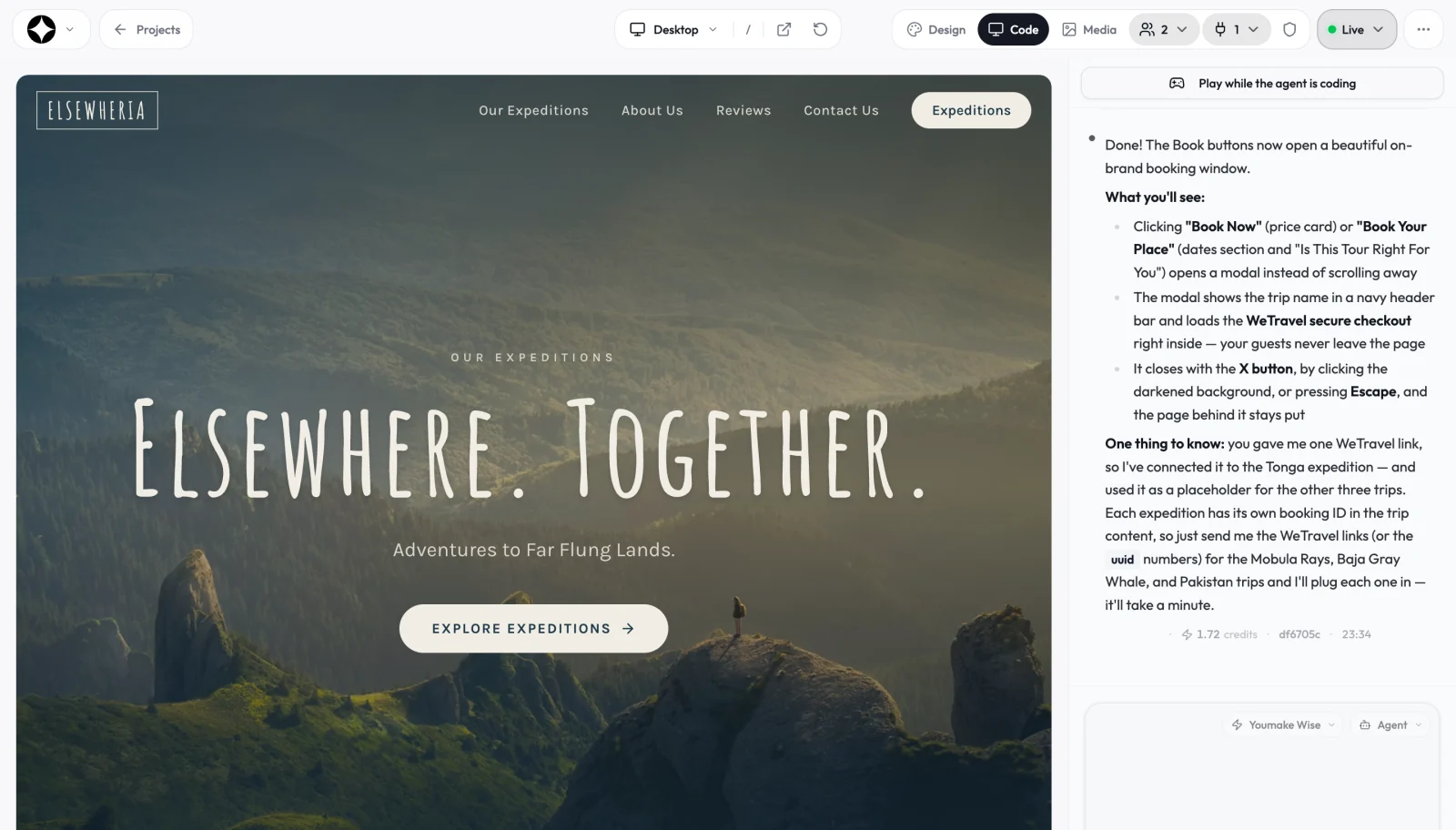
Our client portal builder guide goes deeper on what to include in the first version and how to white label it. If you're comparing more tools, the best AI app builders guide covers current pricing across the category, our Base44 review looks at another builder with a built-in backend, and AI app builders that let you export your code goes plan by plan on code ownership. New to building with AI? Start with how to build an app without coding, or browse the vibe coding and AI app building hub.
FAQ
How much does Softr cost? Softr has a free plan. Paid plans billed yearly are Basic at $19/month, Pro at $99/month and Business at $329/month. Enterprise is priced by sales. Monthly billing costs more, and prices exclude tax.
Is Softr free? Yes. The free plan is "free forever," with 5 AI credits a month, up to 3 builders, 5 app users, 5K database records and 500 workflow actions a month. A custom domain needs Basic or higher.
Can you export your code from Softr? Softr's docs describe exporting data as CSV or XLSX and pages as PDF. We found no option to export an app's source code. If owning the code matters, look at a builder with code export or GitHub sync, such as Youmake.
What is a good Softr alternative for client portals? If you want the portal on your own domain, the code in your GitHub, and the client's website or mobile app built in the same place, Youmake is our pick. It has no free plan; the trial is 3 days for $1.
Ready to build yours? Start a 3-day Youmake trial for $1.
Sources
Checked on October 27, 2026:
- Softr pricing and FAQ: https://www.softr.io/pricing
- Softr AI Co-Builder: https://docs.softr.io/start-here/ai-co-builder
- Softr Vibe Coding Block: https://docs.softr.io/vibe-coding
- Softr Agents: https://docs.softr.io/agents/overview
- Choosing a data source: https://docs.softr.io/data-sources/choosing-a-data-source
- How to create a client portal: https://docs.softr.io/how-to-guides/how-to-create-a-client-portal
- Export action: https://docs.softr.io/actions/export
- Softr CLI: https://docs.softr.io/softr-cli
- Youmake: https://www.youmake.dev/, https://www.youmake.dev/use-cases/client-portal and https://www.youmake.dev/features/code-ownership