

An AI web app builder turns a plain-English description into a working web app: pages, forms, logins and a database, not just a good-looking landing page. That difference decides whether you end up with a product or a demo. Youmake is an AI app builder for websites, web apps, mobile apps and slide decks, and this guide uses it for the examples. The checks below apply to any tool you are weighing.
If you are still comparing the whole field, start with our best AI app builders roundup, then come back here to test a shortlist.
What is the difference between a website builder and a web app builder?
A website mostly shows information. A web app lets people do something: sign in, save data, pay, submit a request, see their own records. Many AI tools produce the first very well and stumble on the second.
| You want | You need |
|---|---|
| A brochure for your business | A website builder. See the AI website builder page. |
| A booking tool, dashboard, directory or portal | A web app builder with auth and a database |
| An app people install on their phone | A mobile app builder. See AI mobile app builder. |
Most real projects sit in the middle. A small business site with a members area is already a web app.
The 6 checks before you pick an AI web app builder
Run each check with a small test project, not a marketing page. Thirty minutes of testing saves a month of regret.
1. Can it build logins and save data?
Ask for a simple app where a user signs up and sees only their own records. If the tool can only fake this with static screens, it is a website builder with a nicer name. Look for a real database integration. Youmake connects to Supabase for this.
2. Can you change one thing without breaking three others?
Your first prompt is the easy part. The real test is the tenth edit. Ask for a change such as "add a status filter to the table" and check whether the rest of the app still works. A live preview with an agent chat makes this loop fast, because you see the result as you go.
3. Do you own the code?
Some builders keep your app inside their platform. Others let you export the code or sync it to GitHub. Decide before you build, because moving later is painful. Our guide to AI app builders that let you export your code explains what to check, and the code ownership page describes how Youmake handles it.
4. Can you publish to your own domain?
A subdomain is fine for testing. A product needs yourcompany.com. Check whether custom domains are included in the plan you would actually buy.
5. Is there a security check before launch?
AI-written code can ship mistakes: open database rules, exposed keys, forms without validation. Prefer a builder that scans before publishing, and read the results. Youmake runs a security scan before you publish. It helps, but it does not replace your own review of anything that handles payments or personal data.
6. Is the cost visible?
Credit-based tools charge per change, so a vague prompt that needs five retries costs more than a precise one. Youmake has no free plan: there is a 3-day trial for $1 (card required), then Starter at $20 per month (40 credits, or $16 per month billed yearly), Builder at $45 (90 credits) and Agency at $120. Check the Youmake site for current plan details before you budget.
Start a 3-day Youmake trial for $1 →
How to do this with Youmake
Here is a first web app you can build in an afternoon: a simple client request tracker.
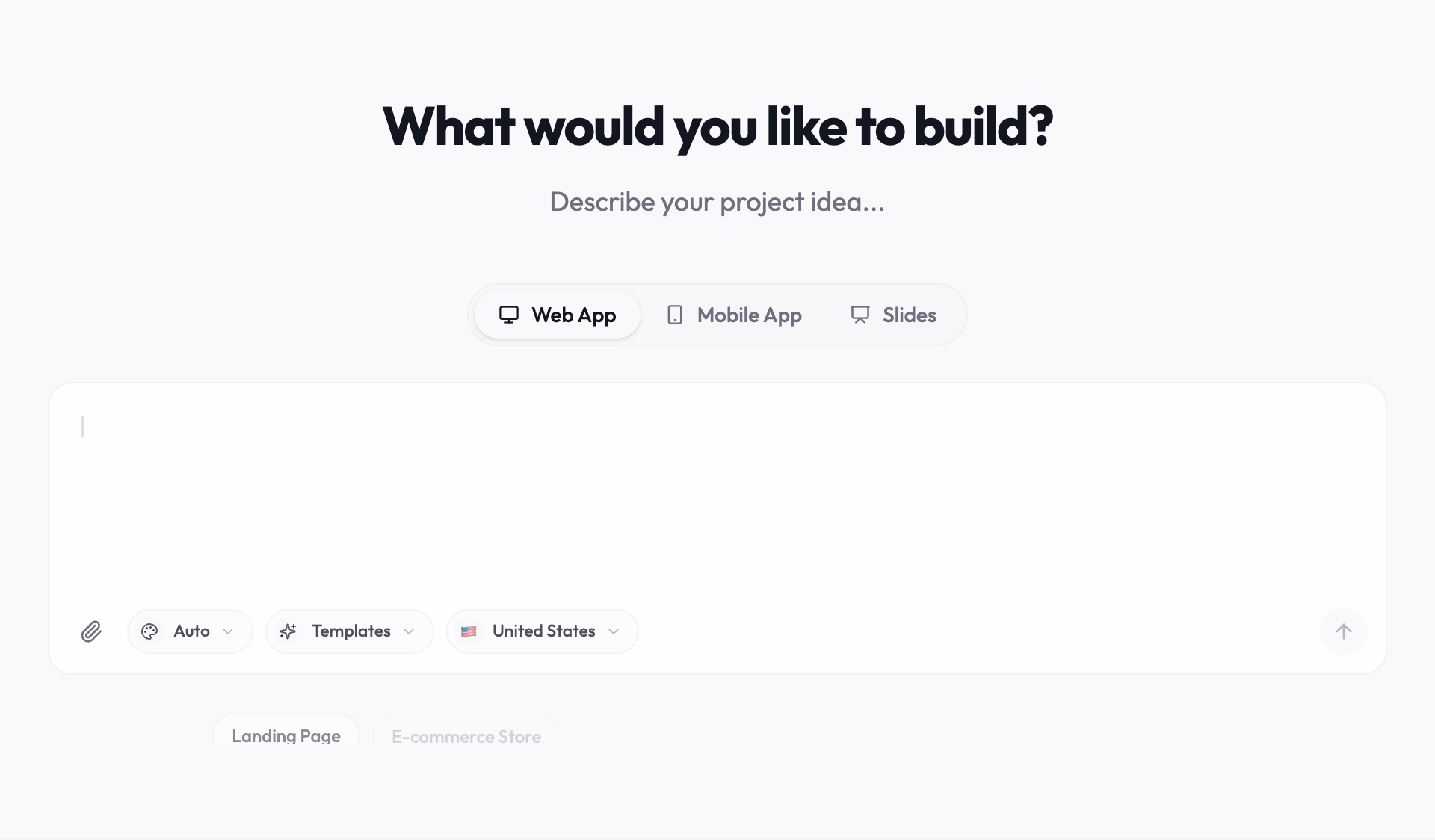
- Open the Youmake composer and choose a web app.
- Paste the prompt below.
- Check the live preview. Sign up with a test account and create two requests.
- Use the agent chat to refine one thing at a time: a status filter, a priority label, a cleaner mobile layout.
- Connect Supabase for data and Stripe if you plan to charge for access.
- Run the security scan, fix what it flags, then publish to your own domain.
- Sync the code to GitHub so you can hand it to a developer later.
Sample prompt:
"Build a web app called RequestBox for a small design studio. Clients sign up, submit project requests with a title, description and deadline, and see only their own requests. The studio owner sees all requests in a table with status (New, In progress, Done) and can change the status. Use a clean, light design. Mobile friendly. Store data in Supabase."
Prefer to adapt an existing idea? Our vibe coding project ideas list has more starting points, and the client portal builder guide goes deeper on the tracker above. If you want the concept behind this way of working, read what is vibe coding.
Which tools should you compare against?
Build the same small app in two or three tools and keep notes on the six checks. Our best vibe coding tools page lists the main options, and Lovable alternatives is useful if you started elsewhere and hit a wall. For every comparison, use the same prompt and the same test account so the results mean something.
More guides like this are collected in the Vibe Coding & AI App Building hub.
Honest limits
- Complex products need developers. Heavy real-time features, unusual integrations and strict compliance rules usually need a person who can read the code.
- Prompts are specifications. Vague prompts produce vague apps. Write down who the users are and what each one can see.
- You still test. Click every button on a phone and a laptop, with a fresh account, before real users arrive.
- Data rules are yours. If you collect personal data, privacy law and your own policy apply regardless of who wrote the code.
FAQ
What is the best AI web app builder?
It depends on what you build and who maintains it. Use the six checks above on a small test app. For people who want a web app, a mobile app and slides in one workspace with code export, Youmake is built for that.
Can an AI web app builder make an app with user logins?
Some can, some only imitate it. Test with a sign-up flow and confirm that one user cannot see another user's data.
Do I need to know how to code?
Not to start. To keep an app running for real customers, it helps to know where the code lives and who can fix it, which is why export and GitHub sync matter.
Start a 3-day Youmake trial for $1 →
Sources
- Youmake: https://www.youmake.dev/
- Youmake AI website builder: https://www.youmake.dev/ai-website-builder
- Youmake code ownership: https://www.youmake.dev/features/code-ownership