Vibe Coding Project Ideas: 7 Builds to Ship This Week
· by Khalid BABA
Vibe coding project ideas for founders and side-project builders: 7 small apps you can ship in a weekend, with a sample prompt to paste into Youmake for each.
The hardest part of vibe coding is not the prompt. It is picking something worth building. Most people start with an app so big it never ships, or one so small it teaches them nothing. The best vibe coding project ideas sit in between: one user, one job, one weekend.
Below are seven projects that fit that size. Each one has a clear user, a first prompt you can paste into Youmake, and a note on what makes it a useful test of an idea. If you are new to the approach, read what vibe coding is first, then come back.
How to pick a vibe coding project
Use three filters before you open any tool:
For founders, there is a fourth filter: can a stranger pay for it, or at least sign up? Projects that end in an email list or a booking give you a real signal. Projects that end in a screenshot do not. This is the same logic behind the solo founder playbook: ship small, learn from real people, repeat.
7 vibe coding project ideas
1. A one-page offer site for your service
Who it is for: freelancers, coaches, consultants.
Why it works: it forces you to state the offer in plain words, and it is easy to test with real visitors.
Starter prompt: "Build a one-page website for a freelance brand designer. Hero with the offer and a booking button, three packages with prices, four portfolio cards, a short FAQ, and a contact form."
If you want the fast route, see how to build a landing page in 60 seconds.
2. A waitlist page with a referral counter
Who it is for: anyone testing a product idea before building it.
Why it works: signups are the cheapest proof of demand you can get.
Starter prompt: "Create a waitlist page for [your idea]. One headline, three benefits, an email field, and a thank-you state that shows the visitor their position in line."
3. A client portal for one type of client
Who it is for: agencies and freelancers who send updates over email.
Why it works: a shared place for files, approvals and status replaces long email threads, and clients notice the difference.
Starter prompt: "Build a client portal where each client logs in and sees project status, uploaded files, and an approve button for each deliverable."
Agencies can see how this fits real client work on the client portal use case page.
4. A booking and quote calculator
Who it is for: local service businesses such as cleaners, photographers, tutors.
Why it works: the visitor answers four questions and gets a price range, which beats a blank contact form.
Starter prompt: "Build a quote calculator for a house-cleaning service. Inputs: number of rooms, cleaning type, frequency. Show an estimated price and a button to request a booking."
5. A small internal tool for your own work
Who it is for: you.
Why it works: you are the user, so feedback is instant. A lead tracker, an invoice checklist or a content calendar is enough.
Starter prompt: "Build a simple lead tracker with columns for new, contacted, proposal sent and won. Let me drag cards between columns and add notes to each."
6. A micro course or training site
Who it is for: teachers, trainers and anyone who sells know-how.
Why it works: lessons, a short quiz and a signup page are a clear product, and you already have the content.
Starter prompt: "Build a course site with a landing page, five lesson pages with video embeds and text, and a three-question quiz at the end of each lesson."
7. A slide deck for your next pitch
Who it is for: founders about to talk to investors, customers or a hiring manager.
Why it works: a deck is a small, finite project with a deadline, and Youmake builds slide decks from the same kind of description.
Starter prompt: "Create a 10-slide pitch deck for [your idea]: problem, solution, product, market, business model, traction, team, ask."
How to do this with Youmake
Here is the loop that works for any of the seven ideas.
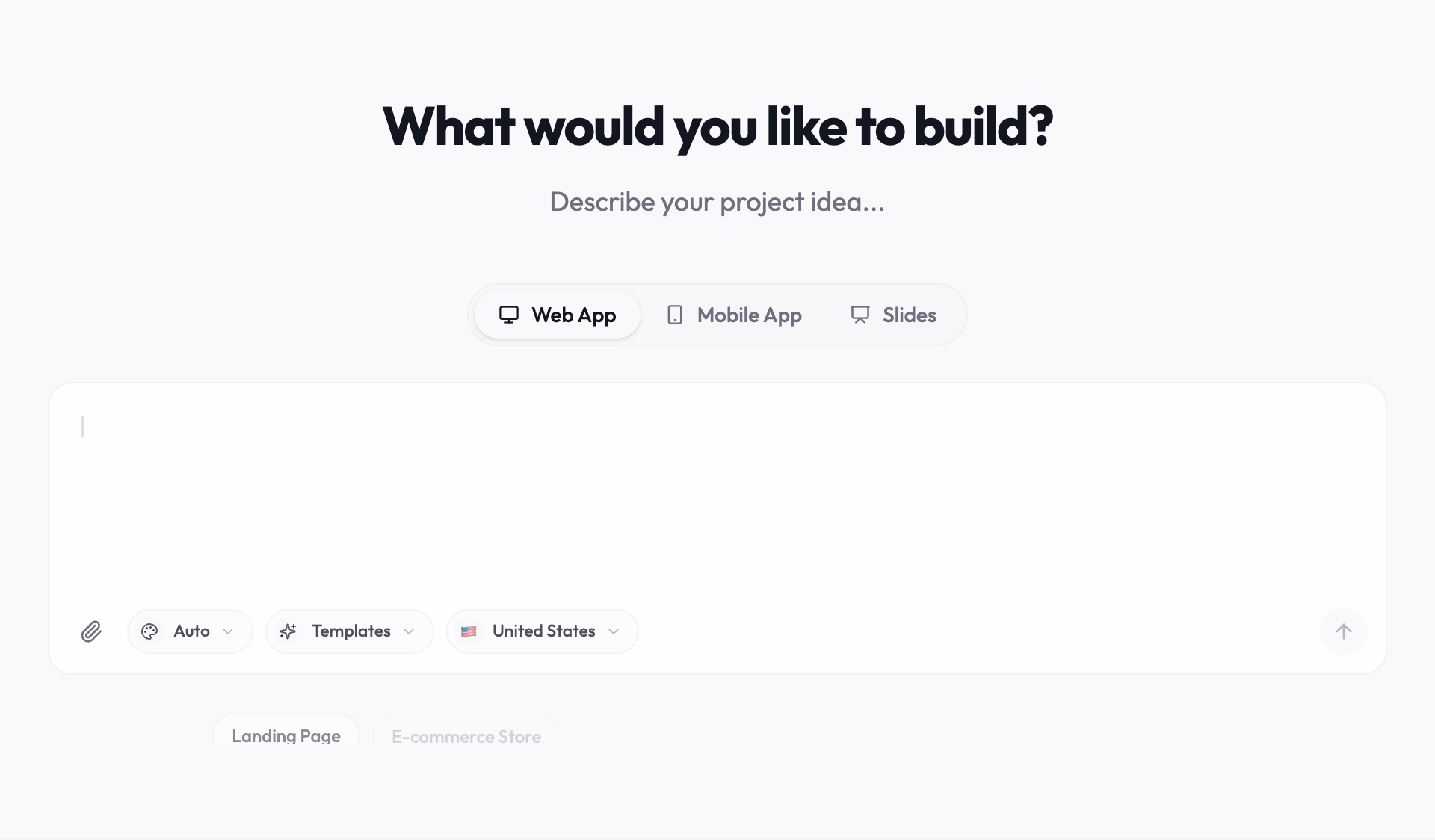
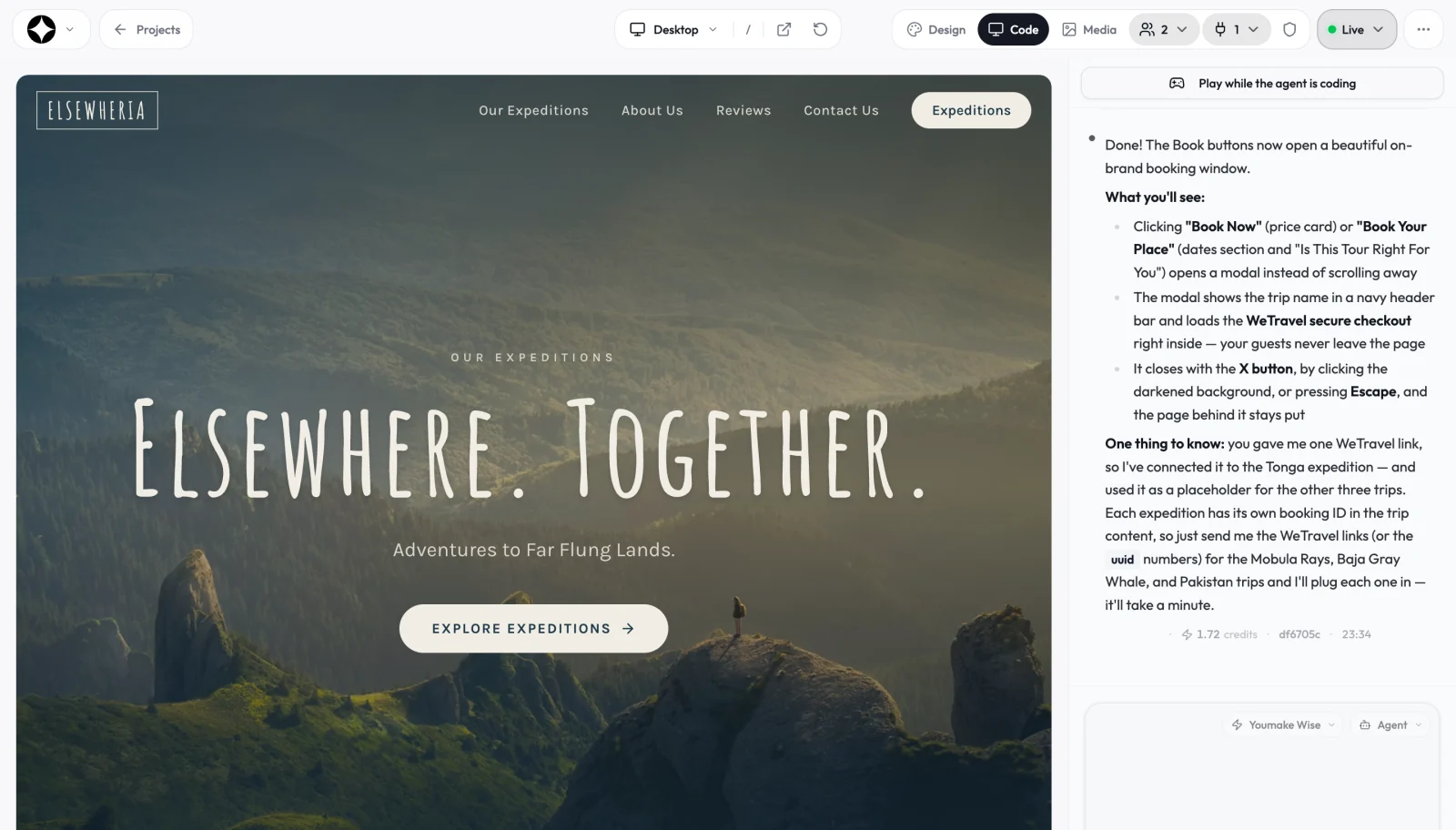
Start a 3-day Youmake trial for $1 → The trial needs a card. Plans after that start at $20 a month on Starter.
Common mistakes with vibe coding projects
- Starting with the whole product. Build the one screen a user sees first. Add the second screen only after someone uses the first.
- Prompting for everything at once. Long prompts produce messy apps. Short, ordered requests keep the result easy to fix.
- Skipping real data. Replace placeholder text with your actual offer before you show it to anyone.
- Never publishing. A project nobody can visit teaches you nothing. Put it on a domain and send the link to five people.
If you are weighing builders, this comparison of vibe coding tools lays out the options by what you are building.
Honest limits
A weekend project is a test, not a company. AI-built apps still need your judgment: check the copy, test every form, and review anything that handles payments or personal data before you launch. Complex logic, such as custom pricing rules or heavy integrations, may take more rounds of prompts, and each round uses credits. Start with the simple version.
For more on picking a founder-friendly path, browse the founders hub, or read the step-by-step guide on building an app without coding.
FAQ
What is a good first vibe coding project?
A one-page site for a real offer. It is small, easy to judge, and you can share it the same day.
How long does a vibe coding project take?
Simple projects like a landing page or waitlist can take an hour or two to get right. Portals and tools usually take a weekend of iteration.
Can I turn a vibe coding project into a business?
Yes, if people use it or pay for it. Treat the first version as a test, collect signups or bookings, and let that decide what you build next.
Sources
Facts checked on October 19, 2026.