


On November 18, 2026, Vals AI published version 1.1 of Vibe Code Bench 1-100, a test of whether AI models can keep extending a working web app without breaking it. The top model, OpenAI's GPT-6.2 Astra, scored 55.16% and got through every planned request in only 18 of 50 apps. If you build with an AI tool, the lesson from Vibe Code Bench is practical: the first version is the easy part, and every change after it is where projects go wrong. This guide explains the results and shows how to make changes safely in Youmake, one tested step at a time.
What Vibe Code Bench 1-100 measures
The original Vibe Code Bench asks a model to build an app from scratch. The new 1-100 version starts where that one ends. Each of the 50 scored tasks begins with a complete app whose tests pass. The model then gets up to ten product requests, one at a time, and keeps its code and conversation the whole way through.
The requests come in five types: adding a feature, a cross-cutting rule that touches many screens, a database schema change, a bug fix, and a revert. A browser agent checks the app after each request with 6,022 scripted workflows in total, and 26.1% of those workflows check that old features still work.
The scoring is strict. A task's score is the number of consecutive passing requests divided by the planned number, and the first confirmed failure ends the task. Each task has a ten-hour budget.
The results
| Model | Score | Cost per task | Time per task |
|---|---|---|---|
| GPT-6.2 Astra | 55.16% | $45.66 | 2h48m |
| Gemini 4 Carbon | 49.73% | $57.92 | 4h07m |
| Gemini 4 Neon | 42.30% | $44.11 | 2h10m |
| GPT-6.2 Sol | 40.94% | $12.74 | 2h31m |
| Claude Opus 5.5 | 30.95% | $115.10 | 6h46m |
| MiMo V2.6 Flash | 24.50% | $0.44 | 2h34m |
Selected rows from the Vals AI leaderboard, checked on November 21, 2026. Eleven models are listed in total.
GPT-6.2 Astra itself is new. OpenAI announced Astra and its cheaper sibling Sol this week, and GitHub made both available in Copilot on November 17. OpenAI lists Astra at $8 per million input tokens and $40 per million output tokens.
Two findings matter more than the ranking:
- Most failures happen on the new request. Vals reports that 74.45% of failure stops involved only the new request's checks, 5.35% only regression checks, and 20.19% both. So about one failure in four broke something that already worked.
- Cost and quality do not line up. The most expensive run per task in the table scored fifth. The cheapest scored about half as well as the leader for about one percent of the price.
What this changes for people who build with AI
If you vibe code, you probably judged your tool by the first prompt: describe the app, watch it appear. This benchmark measures the part that decides whether you have a product a month later, which is the tenth change.
Read in builder terms, the results point to a few habits worth changing.
First, a request the model misreads is the most common failure. Vague requests ("make the dashboard better") give the model room to guess wrong. Specific requests with a visible success condition give it less room.
Second, about a quarter of the stops involved breaking something that used to work. The more of your app a change touches, the more you should re-check afterward. Cross-cutting rules, such as "all prices in euros" or "only admins can delete", were the most common request type in the test and they touch everything.
Third, the scoring mirrors real life. In the benchmark the first failure ends the run. In your project, a broken change you do not notice becomes the base for the next five changes, and untangling it costs more than the original feature did. Our guide to monitoring a vibe-coded app in production covers how to catch the ones that slip through.
A safe-change routine for any AI-built app
You can apply this with any tool. Expect it to add a few minutes per change.
- Ask for one feature, fix or rule per message. Do not stack a schema change and a redesign in the same prompt.
- Write the success condition into the prompt. "When a logged-out visitor opens /orders, they land on the login page" can be checked. "Protect the orders page" cannot.
- Keep a short regression list of five to ten flows that must always work: sign up, log in, the main form, checkout if you have one. Click through them after every change that touches shared code or data.
- Treat database changes as their own step: ask the AI to describe the change before it makes it, and check that existing records still display afterward.
- Save a known-good point after each passing change. A commit in a repository you own lets you go back to the last version that worked, which is far cheaper than asking the AI to undo its own mistake.
- When a fix breaks a second thing, go back to the last good point and rephrase the request instead of asking for fix after fix.
This is the same discipline that separates vibe coding from agentic coding: you stay in charge of what counts as done.
Start a 3-day Youmake trial for $1 and try this routine on your next app →
How to do this with Youmake
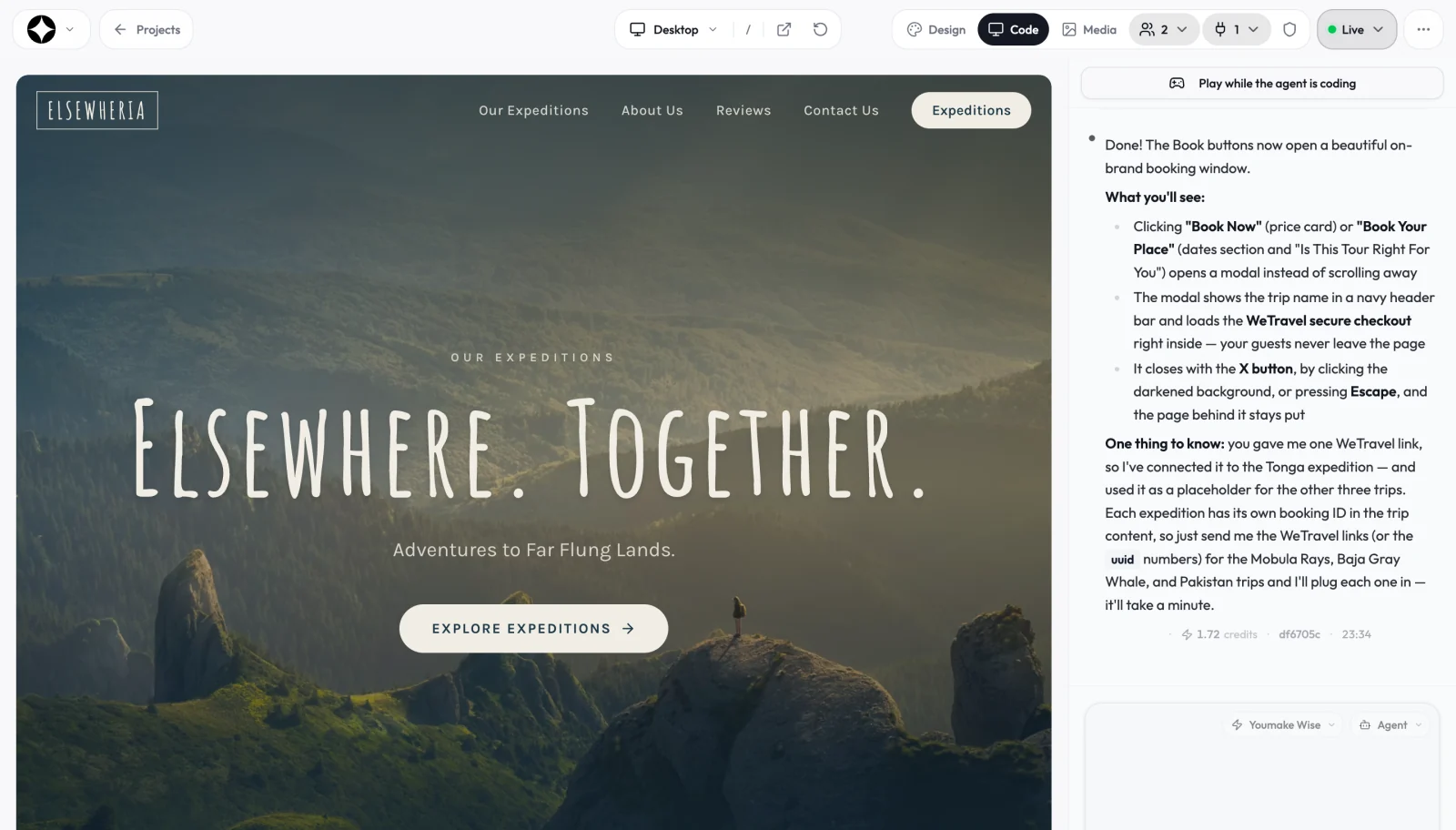
Youmake is an AI app builder for websites, web apps, mobile apps and slide decks. You describe a change in the agent chat and check it in the live preview before you publish, which fits the routine above.
- Sync your project to GitHub first. The code ownership features let you export the code or sync it to a repository, so every working version has a saved point you control.
- Ask for your regression list once. Paste this into the agent chat:
List the 8 most important user flows in this app (for example: sign up, log in, create an item,
edit it, delete it, pay). For each flow, write the exact steps to test it by hand
and what I should see at the end. Save the list as a page at /admin/checklist that only I can see.
- Make each change as a single, checkable request. For example:
Add a "status" field to orders with the values: new, paid, shipped.
Existing orders should show "new". Show the status as a colored label on the orders list.
Do not change the checkout flow or the login pages.
Done means: old orders still open, new orders start as "new", and checkout still works.
- Test in the live preview. Run the new request, then the flows on your checklist. If something broke, describe exactly what you saw in the chat.
- Run the security scan, then publish to your own domain. A change that adds a new table or a new admin page is exactly the kind the scan should look at.
Each change costs credits, so small, clear requests also keep your bill predictable. If you build for clients, the checklist page doubles as a hand-off document. For small-business sites that mostly need text and layout updates, the Youmake AI website builder keeps it simpler.
Honest limits
- A benchmark is not your app. Vals ran each model with its own agent setup and high reasoning settings, and the test set is private, so nobody outside Vals can reproduce the exact numbers.
- Youmake does not publish which model handles each request, so these scores tell you about the industry, not about Youmake specifically. The routine above is what protects your app either way.
- Youmake has no free plan. Entry is a 3-day trial for $1 (card required), then paid plans from $20 a month.
- A manual regression list depends on you running it. For apps that take payments or store customer data, a developer review before big changes is still worth paying for.
FAQ
What is Vibe Code Bench 1-100? A Vals AI benchmark that starts each task with a working web app and asks a model to make up to ten changes in a row. The first change that fails ends the task, so it rewards models that can keep an app working over time.
Which AI model is best at updating an existing app? On the November 18, 2026 leaderboard, GPT-6.2 Astra led with 55.16%, ahead of Gemini 4 Carbon at 49.73%. Even the leader finished every planned change in only 18 of 50 apps.
How do I add features to an AI-built app without breaking it? Ask for one change at a time with a clear success condition, re-check a short list of core flows after each change, and save a known-good version (for example, a GitHub commit) before the next one. New to this? Start with how to start vibe coding and browse more guides on the vibe coding hub.
Ready to build an app you can keep changing? Start a 3-day Youmake trial for $1 →
Sources
- Vals AI, Vibe Code Bench 1-100 v1.1 leaderboard: https://www.vals.ai/benchmarks/vcb-1-100-v1-1
- Vals AI, Vibe Code Bench (greenfield): https://www.vals.ai/benchmarks/vibe-code
- OpenAI, Introducing GPT-6.2 Astra and Sol: https://openai.com/index/introducing-gpt-6-2-astra-sol/
- GitHub Changelog, GPT-6.2 Astra and GPT-6.2 Sol now available (November 17, 2026): https://github.blog/changelog/2026-11-17-openais-gpt-6-2-astra-and-gpt-6-2-sol-now-available/
- AlphaSignal, GPT-6.2 Astra tops real-world coding maintenance benchmark: https://alphasignal.ai/news/openai-s-gpt-6-2-astra-tops-real-world-coding-maintenance-benchmark-at-55