


Los Angeles Unified, a district of about half a million students, has switched off Google AI Overviews on school devices, and its technology chief says it could change the default search engine "literally overnight." The fight over Google AI Overviews in schools is now a practical problem for teachers: the search page your students open in January may not be the one your research assignment was written for. You can take search out of the equation for the work that matters by putting your vetted sources on a small class research hub, built with Youmake. This guide covers what happened, what it changes, and how to build the hub.
What happened with Google AI Overviews in schools
The dispute started on November 3, 2026. In a blog post, Chris Phillips, who runs Google for Education, said access to Gemini, Gemini Notebook, Gemini in Classroom and Google Search "will be entirely off for K-12 student accounts until school administrators explicitly turn them on." Google gave no date and said it would share specifics "in the coming months." EdSurge reports the change is planned for early 2027.
Schools can switch off the Gemini apps and keep Search. They cannot keep Search and remove AI Overviews or AI Mode, because Google says those are part of Search itself. Phillips told The New York Times that "Search and AI are deeply integrated," according to the Associated Press.
Districts have not waited for Google:
| District | What it did | Source |
|---|---|---|
| Los Angeles Unified | Disabled AI Overviews on school devices after parents raised it at a board committee meeting on November 13. The district confirmed the change on November 18 and called it temporary. | AP, NBC Los Angeles |
| Fairfax County, Virginia | Built a browser plug-in that hides AI answers in student search results. | EdSurge |
| Niles Community Schools, Michigan | Published a "Hide AI Overview" Chrome extension on GitHub with instructions for districtwide rollout. | EdSurge |
| New York City and Chicago | Reported by The New York Times to be weighing other search engines. | EdSurge |
Los Angeles has not said how it removed AI Overviews. Its Chief Information Officer, Jack Kelanic, told the board's AI committee the district is not tied to Google. NBC Los Angeles, citing the Los Angeles Times, reports that some districts are looking at DuckDuckGo and Bing, which both let users turn AI answers off.
Google says its approach "isn't final," according to EdSurge. Senator Ed Markey asked the company to reverse the policy and set a November 30 deadline for a reply.
We covered the November 3 announcement, and what to tell students about it, in our guide to writing a classroom AI policy.
Why this matters if you teach
Three things are now outside your control.
The search page can change mid-term. A district can add a filter, install an extension or swap the default engine with no notice to teachers. Los Angeles parents learned about the change from the playground before the district confirmed it.
The workarounds are fragile. Niles' own instructions include a section on fixing the extension when Google changes its page layout.
Home is a different web. A student who starts research on a filtered school Chromebook and finishes on a family laptop sees two different sets of results, one with an AI summary on top.
A research assignment that says "search for three sources" now produces different work depending on the device, the week and the district's latest decision. The fix is the one school librarians already recommend: tell students where to look.
What to do now
- Ask your IT office one question. "Which search engine and which AI settings will student devices have next term?" Even without a firm answer, you will hear about changes earlier.
- Rewrite "search for it" assignments. For each research task, list five to ten starting sources: the library databases your school pays for, primary source collections, and a few sites you trust for the topic.
- Teach the check, whatever the tool. A student who can say who wrote a page, when, and how they know it is true can handle a search result or an AI summary. Put that checklist in writing.
- Put all of it at one address. A list in a slide deck gets lost. A page students can bookmark survives a change of search engine, and it works the same at school and at home.
- Tell parents. Send one paragraph on where students should start their research.
The fourth step sounds like a project, and it no longer is one. Start a 3-day Youmake trial for $1 and you can have the hub live before winter break.
How to build a class research hub with Youmake
Youmake is an AI app builder for websites, web apps, mobile apps and slide decks. You describe what you want, watch a live preview, and change it by chatting with the agent.
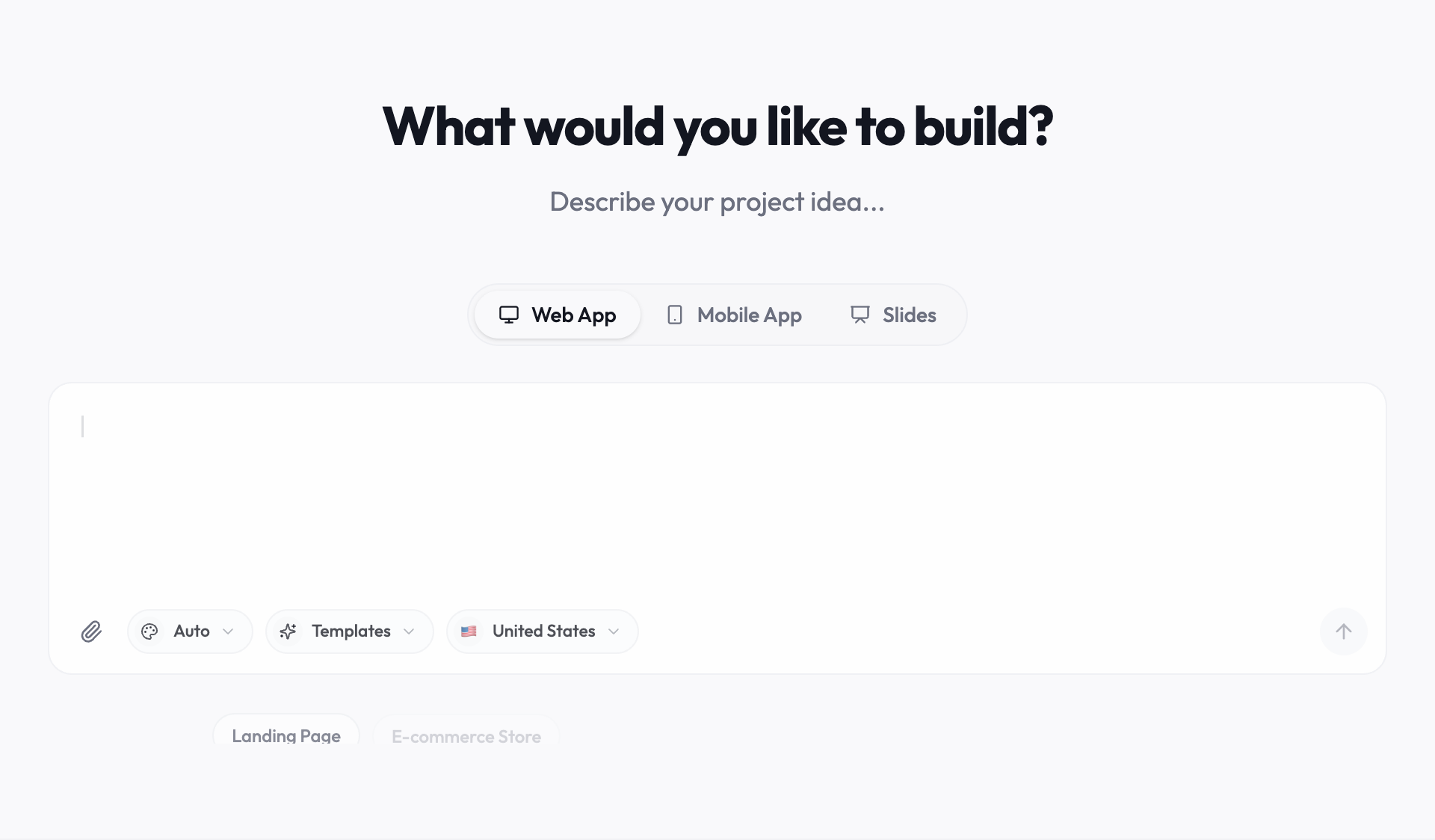
Paste this prompt and replace the bracketed parts:
Build a website called "[Mr. Okafor's 10th Grade History] Research Hub". Home page: a short "Start here" note and a card for each unit ([Industrial Revolution, World War I, Cold War]). Each unit page has a table of vetted sources with columns for name, link, type (database, primary source, reference, news) and a one-line note on what it is good for, plus a filter by type and a search box that searches only this list. Add a "How to check a source" page with a five-question checklist and a "How to cite" page with two examples. Add a "Last updated" date in the footer. Calm design, large readable type, works well on phones and Chromebooks.
Then:
- Replace the sample sources with yours. The agent fills the tables with placeholders. Every link on the live site should be one you have opened and checked. Ask your school librarian for the database links, since those often need a school login.
- Change one thing at a time in the chat. Ask for a "printable list" button, a Spanish version of the checklist, or a new unit, and look at the preview after each change.
- Keep student data off the site. A list of links needs no accounts and no forms. If you later want students to suggest sources, Youmake integrates with Supabase for storage, but check your district's rules on student data first.
- Run the security scan that Youmake offers before publishing.
- Publish to your own domain, such as research.yourclassname.com, and ask IT to confirm the address is reachable through the school filter.
The Youmake AI website builder page shows what small sites like this look like. If your department wants to host the hub itself later, you can export the code or sync it to GitHub, as described under code ownership. If this is your first build, read how to build an app without coding first.
Tutors and course creators can add the same hub as a section of a course site. Our guide on how to build a course website with AI covers the rest of that site.
Honest limits
- The hub does not block AI Overviews or change what a search engine shows. That is a device and filter setting, and it belongs to your district's IT office.
- It is a curated list. Students will still search the open web, and they should learn to. The hub gives them a reliable first stop and a checklist for everything else.
- A list goes stale. Links break, so click through it once a month.
- Youmake is a paid product. The trial is 3 days for $1 with a card, and the Starter plan is $20 a month. Ask whether your school or department will cover it.
- The facts here will move. Google has not published a date, Los Angeles calls its change temporary, and Google's answer to Senator Markey is due after this article was written.
FAQ
Can schools turn off Google AI Overviews? Google offers no official switch that removes AI Overviews and keeps Search. Districts that have done it used their own tools: Los Angeles Unified has not said how, Fairfax County built a plug-in, and Niles Community Schools published a Chrome extension.
Will students lose Google Search in 2027? Not automatically. Google says Search and its AI products will be off by default for K-12 student accounts until an administrator turns them on. A school that turns Search on gets its AI features too. Google has not published a date.
Does a class research hub replace a search engine? No. It replaces the instruction "go search for it" on assignments where source quality matters. Students start from sources you chose and use the checklist when they go further.
Want more guides like this for teachers and trainers? See the AI in Education hub, including what AI training for teachers should cover.
Start a 3-day Youmake trial for $1 and publish your class research hub
Sources
- Associated Press via ABC News, "As Google threatens to cut schools' search access, Los Angeles blocks AI features" (November 25, 2026): https://abcnews.com/Technology/wireStory/google-threatens-cut-schools-search-access-los-angeles-138476437
- Google, blog post by Chris Phillips on AI controls for K-12 accounts and Guided Learning (November 3, 2026): https://blog.google/products-and-platforms/products/education/ai-learning-era-updates-2026/
- EdSurge, "Google Says Schools Can't Have Search Without AI. Some Are Finding a Way" (November 19, 2026): https://www.edsurge.com/news/google-says-schools-cant-have-search-without-ai-some-are-finding-a-way
- NBC Los Angeles / City News Service, "LAUSD disables Google AI Overviews, reviews Google Search" (November 18, 2026): https://nbclosangeles.com/news/local/lausd-disables-google-ai-overviews-reviews-google-search/3972510
- OPB / NPR, "Why is Google cutting off Search from AI-free schools? Here are some theories" (November 13, 2026): https://www.opb.org/article/2026/11/13/to-use-google-search-schools-have-to-keep-ai-overviews/