


On November 25, 2026, Cloudflare launched Search for Agents in beta. One toggle in the dashboard builds a search index of your site and exposes it at /.well-known/search on your own domain, so an AI agent can ask your site a question instead of crawling it page by page. Cloudflare Search for Agents is available on every plan, including Free, and billing for the AI Search product underneath it starts on December 1.
Turning it on is one switch. The work is in your pages, because what the agent gets back is passages of your own content, converted to Markdown. If your prices sit inside an image or your return policy is a PDF, the agent has little to retrieve. You can build a site made of clear text pages with Youmake and publish it to your own domain. The steps are further down.
What is Cloudflare Search for Agents?
Cloudflare already sold a managed search service called AI Search, which you had to set up and connect to a domain yourself. The announcement says Search for Agents "puts that setup behind a toggle in your Cloudflare dashboard." When you switch it on, Cloudflare does three things, according to its documentation:
- It creates an AI Search instance named
search-for-agents-<ZONE_ID>and crawls your site. It finds pages through your sitemap and through links. - It serves a search endpoint at
https://yourdomain.com/.well-known/search. - It adds four meta tags to the
<head>of every HTML page, so an agent that lands anywhere on the site learns the endpoint exists:
<meta name="agent:instructions" content="Use this search API to find relevant content..." />
<meta name="agent:endpoint" content="https://example.com/.well-known/search?q={query}" />
<meta name="agent:method" content="GET" />
<meta name="agent:documentation" content="https://developers.cloudflare.com/ai-search/how-to/search-for-agents/" />
An agent can call the endpoint with a plain GET and a q parameter, or with the newer HTTP QUERY method (RFC 10008, published in June 2026). The response is Markdown with source references and relevance scores. Cloudflare's docs describe it as "relevant content in Markdown, not an AI-generated answer."
What does Search for Agents index by default?
The defaults in Cloudflare's docs decide what an agent can find on your site.
| Default setting | Value | What it means for your site |
|---|---|---|
| Crawl depth | Five link hops from your domain's root | A page buried deeper than that may be skipped |
| Subdomains | Off | docs. or shop. subdomains are not indexed unless you change the setting |
| Sync interval | 24 hours | A price you change today may not be searchable until tomorrow |
| Pages per crawl | Up to 100,000 (Workers Free: 500 pages crawled per day) | On Free, a site with more than 500 pages takes more than a day to index |
| Chunk size | 1,024 tokens with 10% overlap | Agents receive sections of a page, not the whole page |
| Results per query | At most 10 chunks, match threshold 0.4 | Weak matches return nothing |
| Search mode | Hybrid (vector plus keyword) | Exact product names and plain questions both work |
Cloudflare's docs tell you to index only content you intend to make publicly searchable.
What does Cloudflare Search for Agents cost?
It follows AI Search pricing. Cloudflare's limits and pricing page, checked on November 28, 2026, lists the same monthly allowance for Free and Paid accounts:
- 5 million ingestion tokens
- 10 GB-month of storage
- 1,000 semantic queries and 1,000 full-text queries
Beyond that, semantic, vector and hybrid queries cost $0.75 per 1,000, full-text queries cost $0.10 per 1,000, ingestion costs $0.75 per million tokens and storage costs $2.00 per GB-month. Billing starts December 1, 2026.
The endpoint is public and its address is printed in your page source, so any agent or script can call it, and the site owner pays for the usage. At the listed rate, 10,000 hybrid queries past the allowance come to $7.50. TechRepublic reports that Free accounts pause at the monthly limits and Paid accounts are charged for the overage. Requests still pass through your existing bot management, AI Crawl Control and WAF rules, so you can rate limit the path.
Why it matters if you build websites
A crawler has to download a page, strip the layout and guess which part answers the question. A search endpoint hands over up to ten matching passages instead. Other companies made similar moves this month. Chrome is testing a way for sites to declare actions to agents, which we covered in WebMCP in Chrome 160. Walmart opened a door for outside shopping agents (see our guide to the Walmart Agent Gateway). OpenAI counts a mention of an online business only when ChatGPT references its website, as explained in Businesses in ChatGPT.
All three reward a site where the facts are written as text on pages you control. Search for Agents adds a stricter test. Because the agent receives a chunk of roughly 1,024 tokens, each section of a page has to make sense alone. A passage that says "it costs $45 and takes two days" is useless if the heading above it, the part that named the service, landed in a different chunk.
What to do now
-
Check whether your domain is on Cloudflare. The feature only works for a domain onboarded to your Cloudflare account. If yours is elsewhere, steps 2 to 4 are still worth doing.
-
Decide what should be public. Remove or protect staging pages, old price lists and anything you would not want quoted by an assistant.
-
Rewrite pages so sections stand alone. Put one question under each heading and name the product or service in the answer. Move prices, hours, shipping and returns out of images and PDFs into plain text.
-
Shorten the path to every page. Link important pages from the navigation or footer and keep a sitemap, so nothing sits more than five clicks from the home page.
-
Turn it on. In the Cloudflare dashboard, select the domain, open Overview, and switch on Search for Agents under Quick Actions. Review the pricing notice and wait for the crawl.
-
Ask it your customers' questions. Run the five questions you hear most and read what comes back:
curl --get "https://example.com/.well-known/search" --data-urlencode "q=what is your return policy"If the right passage is missing or cut off, fix the page, wait for the next sync and test again.
-
Add a rate limiting rule for
/.well-known/searchand look at your AI Search usage after December 1.
No site worth indexing yet? Start a 3-day Youmake trial for $1 →
How to build an agent-searchable site with Youmake
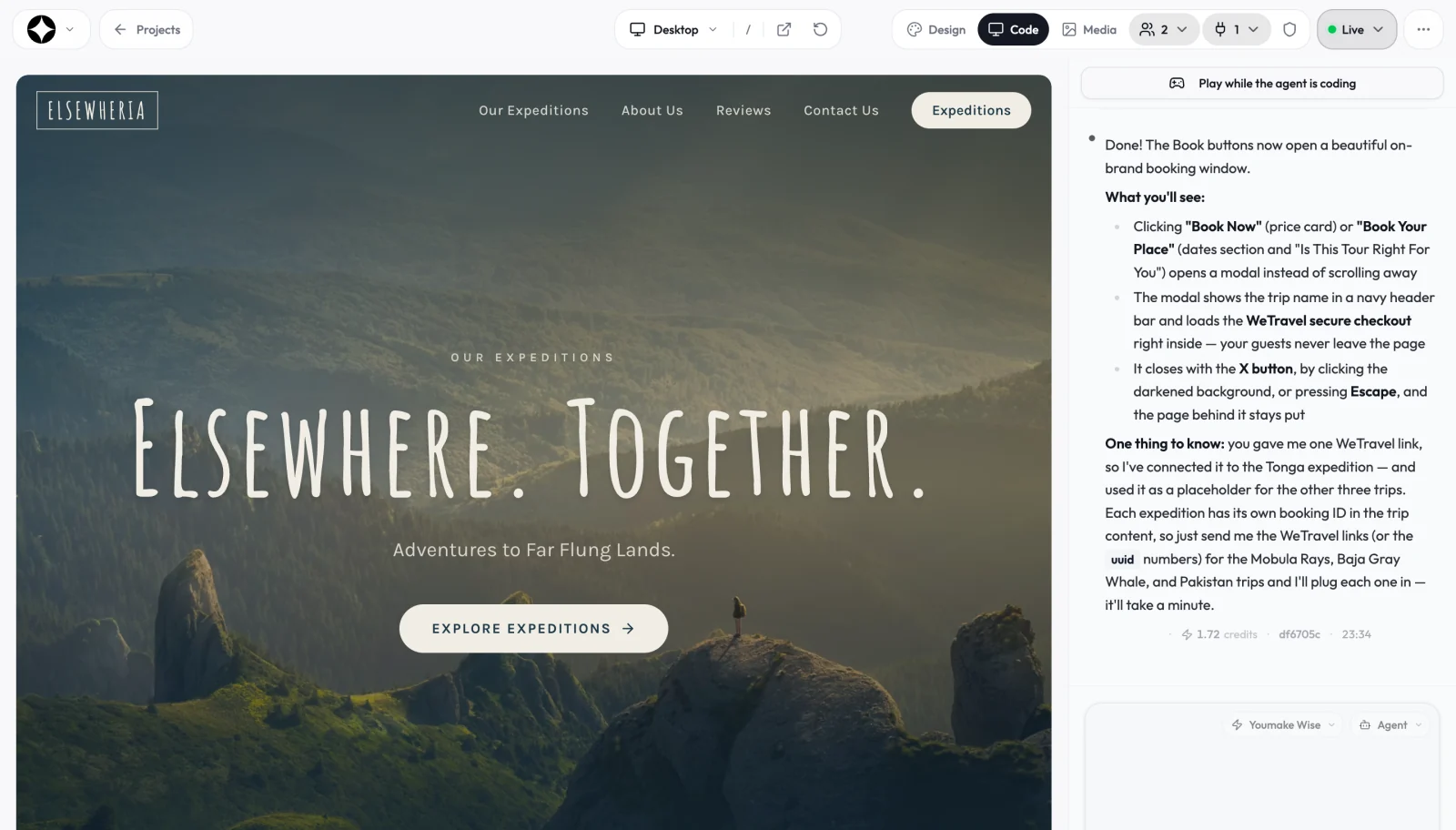
Youmake is an AI app builder: you describe a website or web app, watch it take shape in a live preview beside an agent chat, and publish it to your own domain. It has no built-in Search for Agents feature. The Cloudflare toggle works at the domain level, on whatever pages the domain serves, so your job in Youmake is to produce pages that retrieve well.
-
Describe the site with the facts in it. Paste a prompt like this:
"Build a website for Pinecrest Bike Repair, a two-person repair shop. Pages: home, services, returns and warranty, FAQ, contact. On the services page, give each service its own heading with the price and turnaround time written as text. On the FAQ page, use one question per heading. Put opening hours and the address on the contact page as text, not inside an image."
-
Make each answer stand alone. In the chat: "Rewrite every FAQ answer so it names the shop and the service it is about, and makes sense if someone reads only that answer."
-
Ask for a sitemap and footer links to every page. That keeps each page well inside the five-hop crawl depth.
-
Publish to your own domain. If you manage that domain in Cloudflare, switch on Search for Agents and run the curl test above. We have not tested the toggle on a Youmake-published site, and it depends on how your domain is set up in Cloudflare, so confirm the endpoint responds before you count on it.
-
Sync the code to GitHub. When a test query returns the wrong passage, you or a developer can fix that page directly. Code ownership in Youmake covers export and sync.
Honest limits
Cloudflare has not said which assistants look for the agent: meta tags. Its blog post shows a coding agent, OpenCode, finding the endpoint on Cloudflare's own documentation site, and the wording elsewhere is "compatible agents." Enabling the feature does not mean ChatGPT, Claude or Gemini will use it.
Nobody has published numbers on whether agent search sends visitors to a site or only answers questions that end without a click. The Independent AI's report notes the same gap.
The endpoint retrieves text. It cannot make an assistant read the passage correctly or cite the right page, and with a 24-hour sync the index can be a day behind your site.
Youmake is paid from the first day: a 3-day trial for $1 with a card, then Starter at $20 a month. More guides like this one are in the AI agents and tools hub.
FAQ
Is Cloudflare Search for Agents free? It is on every Cloudflare plan with a monthly allowance of 1,000 semantic and 1,000 full-text queries. Past that, hybrid queries are listed at $0.75 per 1,000, with billing from December 1, 2026.
Do I need to write code to use it? No. It is a toggle under Quick Actions on your domain's Overview page. Cloudflare adds the endpoint and the meta tags for you. Your domain has to be onboarded to your Cloudflare account first.
Will it make AI assistants recommend my site? Cloudflare does not promise that. A compatible agent can search your content once it is already on your site, and Cloudflare has not listed which assistants support the tags.
Build the pages agents can search: start a 3-day Youmake trial for $1 →
Sources
- Cloudflare blog: Search for Agents (November 25, 2026)
- Cloudflare docs: Search for Agents how-to
- Cloudflare docs: AI Search limits and pricing
- Cloudflare changelog: Search for Agents (November 25, 2026)
- TechRepublic: Cloudflare Launches Search for Agents Beta (November 26, 2026)
- The Independent AI: Cloudflare adds a one-switch Search for Agents (November 26, 2026)