

On November 10, 2026, OpenAI opened a beta called Businesses in ChatGPT. A company can now claim a profile through a new Business Hub, get a verified check, correct its own details, and see how often ChatGPT mentions it. Three days later OpenAI added ChatGPT Wallet, which lets its agents pay at a merchant's normal checkout for Pro subscribers in the United States.
The business side is free for now and takes an afternoon to set up. The catch is in how OpenAI counts things. For an online business, a mention is recorded only when ChatGPT references your website, and the simplest way to verify is a record on your own domain. So the first job is a real site on a domain you control. If you do not have one, you can build and publish it with Youmake's AI website builder before you claim anything. The steps are below.
What is Businesses in ChatGPT?
It has three parts, all managed from Business Hub.
The first is a verified profile. You claim your business, prove you run it, and edit the details ChatGPT shows when it mentions you. According to The Keyword's report on the launch, you can verify with a business phone number, a business email, a TXT record on your website's domain, or a connected Shopify store. A second identity check through Persona is required before you can publish changes, see insights or create an agent. Businesses can claim a listing wherever ChatGPT is available. Local stores and restaurants are the exception: for now they can only claim listings that already exist in the US.
The second is an insights dashboard. It shows mentions, website clicks and the topics people were asking about when your business came up, over a rolling 28 days. You do not see prompts or conversations. An OpenAI spokesperson told Digiday that businesses "don't see individual prompts or chats."
The third is Business Agents. An agent is a separately labeled chat that answers questions about your products and policies and links to your site. OpenAI builds it from the instructions and product feed you supply, and you cannot bring your own. It cannot take a payment, make a booking or look up an order. Only ecommerce and online service businesses in the US can publish one today.
Digiday reports that the hub and the agents cost nothing for now, and that Benji Shomair, OpenAI's VP of monetization, did not rule out charging later. OpenAI also sells a paid version of the same format as an ad. "Think of the business agent as the organic experience," Shomair told Digiday.
Does claiming a profile make ChatGPT recommend you more?
No, and OpenAI says so directly. Shomair told Digiday that taking part should not change how often a business appears. OpenAI's commerce documentation makes the same point about product feeds: "Eligibility does not guarantee display."
What you get is accuracy and measurement. Your hours, policies and prices come from you instead of from whatever ChatGPT found on the web, and you get a number to watch each month. That is worth an afternoon. It will not rescue a business that ChatGPT has no reason to mention.
Why your website decides what gets counted
Two details in the launch point at your site.
For online businesses, a mention counts only when ChatGPT references your website. If it names your brand without linking to your site, the dashboard does not record it. A business that lives on a marketplace page or a social profile has nothing for ChatGPT to reference.
The agent and the wallet both end on your site too. A Business Agent sends the shopper to your website to buy. ChatGPT Wallet, per OpenAI's documentation, works with existing checkout pages and needs no special integration. In both cases the sale happens on a page you own, if you have one.
What a small business should do this week
- Claim and verify. Start in Business Hub. If you own your domain, the TXT record is the cleanest proof, because it does not depend on a phone listing being correct somewhere else.
- Put your policies on your site in plain text. Returns, shipping, pricing and contact details. The agent answers from what you give it, and The Keyword notes that OpenAI's setup guide tells businesses to test the agent with common customer questions and correct what it gets wrong.
- Prepare a product feed if you sell products. OpenAI's docs require these fields per item:
item_id,title,description,url,brand,seller_name,image_url,availabilityandprice, plus the countries you sell in. It accepts CSV, TSV, JSON and JSONL, by manual upload, a hosted HTTPS URL or SFTP. Identity verification comes first, and the standard upload currently targets the US. - Check that your security settings let ChatGPT's browser in. OpenAI says you do not need an allowlist, but a strict firewall can block its visits. Akamai, Cloudflare, HUMAN and Vercel verify ChatGPT's signed requests automatically.
- Write down your numbers. Note mentions and clicks on day one so you can tell later whether a change to your site moved them.
Build the site ChatGPT can reference: start a 3-day Youmake trial for $1 →
How to get your business ready for ChatGPT with Youmake
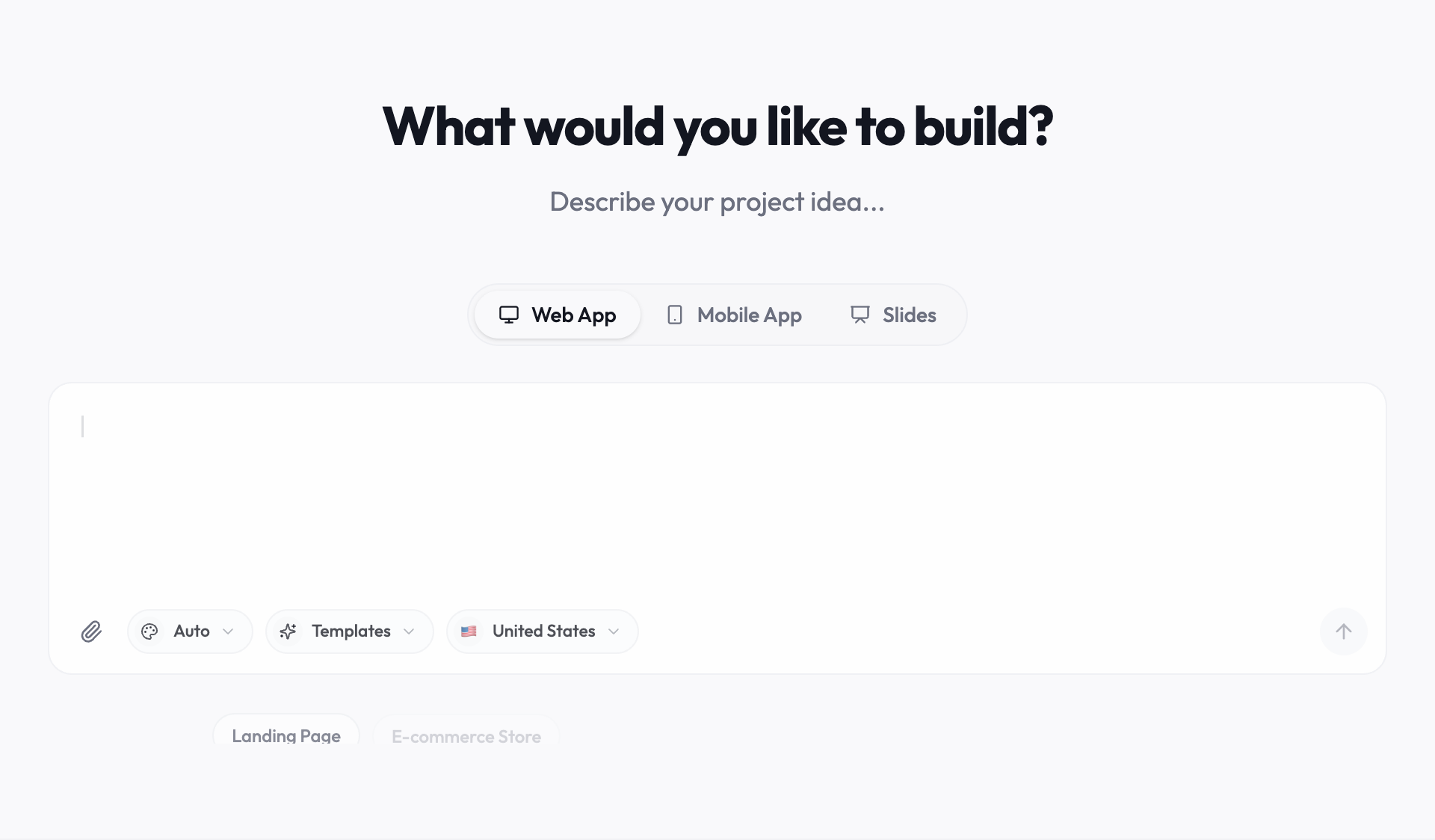
Youmake is an AI app builder that turns a description into a website or web app, with a live preview beside an agent chat, and publishes it to your own domain. That gives you the two things this launch rewards: a domain you can verify and pages ChatGPT can cite.
-
Describe the site in the composer. Paste a prompt like this and swap in your business:
"Build a website for Harbor Candle Co., a small online shop selling hand-poured soy candles. Home page with one headline, three best sellers and an 'Order now' button. A products page listing each candle with name, price, scent notes, burn time and stock status. Separate pages in plain text for shipping, returns, and contact, with our email and phone number at the top of each. An FAQ page with ten common customer questions. Put the business name, address and opening hours in the footer of every page."
- Replace every placeholder with real details. Paste in your actual return window, shipping costs and prices. The agent in ChatGPT will repeat whatever you publish.
- Run the security scan and publish to your own domain. Use a domain that is registered in your name, because the next step needs access to its DNS settings.
- Add the TXT record. Business Hub gives you a value. You add it in the DNS settings at the company where you registered the domain, then come back and confirm.
- Ask for a product file if you need a feed. For example: "Add an admin-only page that exports all products as a CSV with these columns: item_id, title, description, url, brand, seller_name, image_url, availability, price." Upload the file in Business Hub and fix whatever its validator flags.
- Connect Stripe for checkout. The agent hands shoppers to your site, so the buy button has to work there.
If you later outgrow the site, you can export the code or sync it to GitHub, so the pages ChatGPT links to are not tied to one tool.
Honest limits
This is a beta, and the parts most small businesses want are narrow. Agents are US only and limited to ecommerce and online services. ChatGPT Wallet is limited to Pro subscribers in the US. OpenAI has not published a timeline for other countries or plans, and has not said whether the hub stays free.
Published profiles are also hard to take back. The Keyword reports that only unpublished drafts can be deleted, so read your profile twice before you publish it.
Youmake has no built-in connection to Business Hub. It builds and hosts the site, and you do the claiming, the DNS record and the feed upload yourself. A CSV export built from a prompt needs checking against OpenAI's schema before you rely on it. Youmake is also paid from the first day: the trial is 3 days for $1 with a card, then Starter is $20 a month.
And agents that shop are still unreliable in places. We covered why AI shopping agents fail earlier this year, and OpenAI's own docs warn that a legitimate agent purchase can be flagged by fraud systems.
FAQ
Is Businesses in ChatGPT free? Yes, for now. Digiday reports that Business Hub and Business Agents carry no charge during the beta, and that OpenAI did not rule out a paid model later.
Can I claim my business outside the US? Online businesses can claim a profile wherever ChatGPT is available. Business Agents are limited to US ecommerce and online service businesses, and local stores and restaurants can only claim existing US listings.
Do I need a website to claim a profile? Phone and email verification exist, so not strictly. But for an online business a mention is counted only when ChatGPT references your website, and the agent sends buyers there. Without a site you have little to measure.
More on what company moves like this mean for small teams is in the AI industry hub. If you are still choosing a tool for the site itself, compare the best AI website builders, and see what OpenAI's other move this week, the Odessia acquisition, means for founders.
Start a 3-day Youmake trial for $1 →
Sources
- OpenAI: Introducing Businesses in ChatGPT (November 10, 2026)
- OpenAI developers: Commerce documentation and Partner Playbook
- Digiday: OpenAI's new business agents give brands a free way into the conversation (November 10, 2026)
- The Keyword: ChatGPT opens business profiles and agents to brands (November 10, 2026)
- PPC Land: OpenAI hands its AI agents a wallet without the real card number in it (November 14, 2026)
- Youmake AI website builder