


WebMCP in Chrome 160 breaks some of the code written during the origin trial. On November 19, 2026, the WebMCP spec merged a change that replaces the plain objects returned by getTools() with a new Tool interface, and Chrome's team says more breaking changes will follow within weeks. If your site only registers tools, you probably have little to fix. If you wrote code that reads tools, such as an in-page assistant, an extension or a test suite, check it before Chrome 160 reaches Stable on January 5, 2027.
Most small sites should not be writing WebMCP JavaScript yet anyway. A clean HTML form with clear labels is the part that will survive every draft, and you can build one in an afternoon with Youmake, then add the agent markup once the API settles.
What is WebMCP?
Chrome's documentation calls WebMCP "a proposed web standard to help you build and expose structured tools for AI agents." Without it, an agent that visits your site has to guess what each button and field does. With it, the site declares a tool such as book_table and says what the tool needs.
There are two ways to declare a tool:
- Declarative: you add attributes to an ordinary HTML form:
toolnameandtooldescriptionon the<form>, andtoolparamdescriptionon individual fields. The browser turns the fields into the tool's parameters. - Imperative: you call
document.modelContext.registerTool()in JavaScript with a name, an input schema and anexecutefunction.
WebMCP is in an origin trial, available from Chrome 149. A site registers with Google for a token and places it on its pages. For local testing you can switch on chrome://flags/#enable-webmcp-testing instead. Chrome's page says the API is "subject to change in the future," and this month it did.
What changed in WebMCP for Chrome 160
The change is pull request #348 in the WebMCP spec repository, titled "Introduce the Tool interface." Dominic Farolino opened it on October 15 and merged it on November 19. Its description says the PR "replaces the RegisteredTool dictionary with the new Tool interface, fixes a number of possible race conditions."
A companion change to Google Chrome Labs' WebMCP extension, merged November 23, gives the version: getTools() returns Tool instances starting in Chrome 160.0.8173.0.
| What your code does | Before Chrome 160 | From Chrome 160 |
|---|---|---|
Calls getTools() | Gets RegisteredTool dictionaries | Gets Tool interface objects |
| Identifies a tool | By name | By a UUID tied to one registration |
Reads tool.window | Works | Renamed to tool.source |
Reads a missing inputSchema or annotations | undefined | null |
JSON.stringify(tool) | Returns the tool's fields | Returns {} |
{...tool} | Copies the fields | Copies nothing |
structuredClone(tool) | Already failed for extensions, per the PR author | Throws |
The UUID is there for security. A reviewer, kenchris, wrote on the pull request that "binding a Tool to one registration is useful for agents." PPC Land's report explains the risk it closes: when a tool is identified only by name, a page could swap in a different tool under the same name and keep the approval the user gave the first one.
Who is affected, and who is not
The compatibility notes in the pull request all concern what getTools() hands back. They list no change to the registerTool() call or to the form attributes. So the likely split is:
A site that only declares tools, with form attributes or registerTool(), and never reads them back is probably fine.
Anything that consumes tools needs a check:
- An in-page assistant or chat widget that lists the page's tools and calls
executeTool(). - A browser extension that reads tools through a content script and passes them to its background script. Passing means serializing, and a serialized
Toolis now an empty object. - Test suites and debug logs that print tools with
JSON.stringify. They will print{}and may still pass. - Any check written as
=== undefinedoninputSchemaorannotations.
I have not run this against a Chrome 160 build. The table above comes from the spec pull request and the Chrome Labs extension change, both linked in Sources.
More breaking changes are coming
On November 23, André Cipriani Bandarra, who leads developer relations for Chrome, posted that WebMCP will see significant changes over the next few weeks. PPC Land quotes him saying "these will be breaking changes," and that they clear the way for a stabilized subset of the API to ship in early 2027.
Chrome 160 reaches Stable on January 5, 2027, according to the Chrome Labs extension change, which keeps a fallback to tool.window until then. PPC Land also reports the origin trial was extended through Chrome 162, which means enrolled sites need to renew and replace their token.
What to do now
- Search your code for
getTools. No results means this change most likely does not touch you. - Replace
tool.windowwithtool.source. If you must support older trial builds for a few weeks, readtool.sourcefirst and fall back totool.window, as the Chrome Labs extension does. - Stop copying tools. Remove
JSON.stringify(tool), spreads andstructuredClone(tool). Pick the fields you need by hand:{ name: tool.name, description: tool.description }. - Hold on to the
Toolobject. Pass the object you got fromgetTools()straight toexecuteTool(). A lookup by name later may find a different registration. - Test for
null. Usetool.inputSchema == null, which covers old and new builds. - Renew your origin trial token if you enrolled before the extension, and put a reminder on January 5.
- Treat WebMCP as an extra. Every tool should map to something a person can already do on the page. If the API changes again, the form still works.
If you are still deciding whether to build agents or build for them, vibe coding vs agentic coding covers the difference.
No site worth exposing to agents yet? Start a 3-day Youmake trial for $1 →
How to build a WebMCP-ready site with Youmake
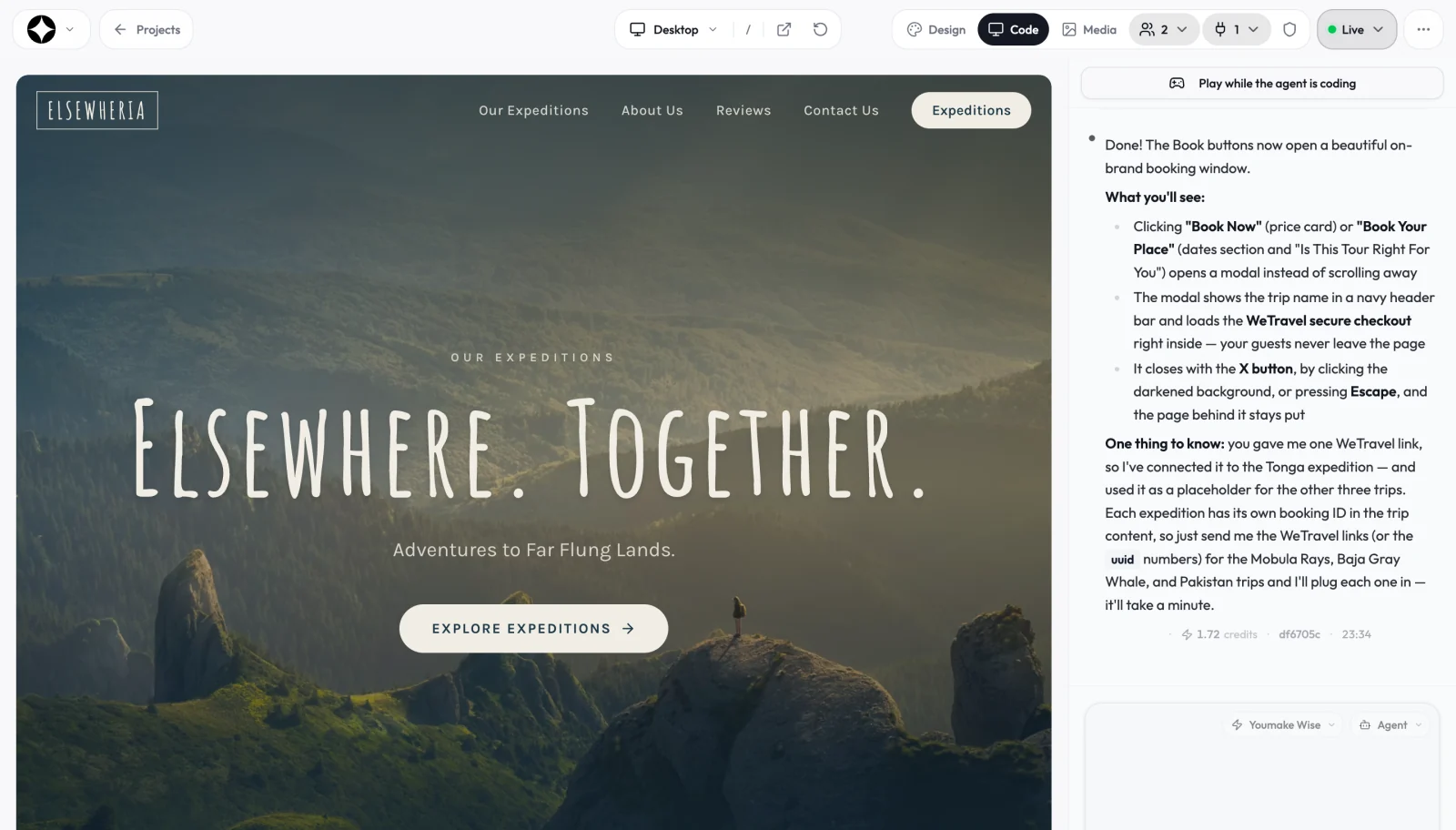
Youmake is an AI app builder: you describe a website or web app, watch it appear in a live preview next to an agent chat, and publish it to your own domain. It has no built-in WebMCP feature, so you add the markup yourself, to forms and code that Youmake generates and you can edit.
-
Describe the site around its one main action. Paste a prompt like this:
"Build a website for Alder Street Dental, a two-dentist practice. Home page, services page, and a booking request page. The booking form is a standard HTML form with visible labels for full name, phone, preferred date, and a dropdown for visit type (checkup, cleaning, emergency). Show a confirmation message after submit."
-
Ask for the declarative attributes. In the chat: "On the booking form, add the attributes toolname="request_booking" and tooldescription="Sends a booking request to Alder Street Dental." Add a toolparamdescription to each field explaining what to enter." These are plain HTML attributes, so browsers without WebMCP ignore them.
-
Leave
toolautosubmitoff. Chrome's docs say this attribute submits the form when a model invokes the tool. Without it, the visitor still presses the button, which is what you want for a booking. -
Publish to your own domain, then enroll that domain. Origin trial tokens are issued per site, so register the domain you publish on and ask the chat to add the token as a meta tag.
-
Sync the code to GitHub. When the next draft lands, you or a developer can change one attribute without rebuilding the site. Code ownership in Youmake covers export and sync, and our guide to AI app builders with code export explains why that matters when a standard is still moving.
-
Verify in Chrome. Turn on
chrome://flags/#enable-webmcp-testingand confirm the tool shows up. Markup written from a prompt has to be checked before you rely on it.
Honest limits
WebMCP is an experiment. Chrome's docs describe it as mainly for local browser workflows with a person in the loop, and note that agents only learn a site has tools by visiting it. Adding tools will not bring agents to you.
The list of further breaking changes has not been published. Migration guides are promised through Chrome's Early Preview Program, with no date given.
Plain text still comes first. Our piece on the Walmart Agent Gateway lists what an agent needs to read on a store page, and the AI agents and tools hub has more guides like this one.
Youmake is paid from the first day: a 3-day trial for $1 with a card, then Starter at $20 a month.
FAQ
Does WebMCP in Chrome 160 break my registered tools?
The pull request's compatibility notes cover the objects returned by getTools(). They do not list changes to registerTool() or the form attributes. If you only register tools, test in a Chrome 160 build to be sure.
When does Chrome 160 reach Stable? January 5, 2027, according to the Google Chrome Labs extension change that added support for the new interface.
Should a small business add WebMCP now? The declarative form attributes cost little and old browsers ignore them, so add them if you like experimenting. Hold off on custom JavaScript that reads tools until the stabilized subset ships, which Chrome's team expects in early 2027.
Build the site first: start a 3-day Youmake trial for $1 →
Sources
- WebMCP spec, pull request #348: Introduce the Tool interface (merged November 19, 2026)
- Google Chrome Labs webmcp-extension, pull request #105: Support the WebMCP Tool interface (merged November 23, 2026)
- Chrome for Developers: WebMCP overview
- Chrome for Developers: WebMCP imperative API
- Chrome for Developers: WebMCP declarative API
- PPC Land: Google's change to Chrome's AI agent feature breaks early testers' code
- AI Matter: Chrome 160 breaks some WebMCP code and more changes follow (November 24, 2026)