

A white label AI website builder lets an agency or freelancer deliver client sites that carry the agency's brand, not the tool's. The practical test is simple: whose name is on the domain, the code and the invoice when the project ends? With Youmake, an AI app builder for websites, web apps, mobile apps and slide decks, you describe a site in plain English, publish it to the client's own domain, and keep the option to export the code. This guide shows what to look for and how to run the workflow.
If you are comparing tools first, the best AI app builders roundup and the AI website builder page are good starting points.
What does "white label" mean for a website builder?
The term gets used loosely. For agency work it breaks into four separate questions:
| Question | Why it matters to a client |
|---|---|
| Does the site live on the client's own domain? | The client sees theirbusiness.com, not a builder subdomain. |
| Can you remove or avoid the tool's branding on the live site? | Visitors should not see a vendor's badge. |
| Can the client leave with their site? | Code export or GitHub sync means no lock-in. |
| Can you hand over the account or the project? | Hand-off is part of a professional delivery. |
A builder can answer "yes" to the first and "no" to the third. Check each one before you promise it to a client. The lock-in question is covered in depth in AI app builders that let you export your code.
Why agencies are looking at AI builders now
Small studios and solo operators are taking on work that used to need a developer and a designer. This is the same shift we track in our Startups & Solo Founders hub: lean teams ship more because the first draft is cheap. For an agency, the first draft of a client site can now come from a prompt, and your time moves to the parts clients pay for, such as positioning, copy, review and support.
That does not remove the need for judgment. The builder produces a draft. You still decide the structure, check every claim on the page, and own the result in front of the client.
How to do this with Youmake
- Collect the client brief: business, audience, three services, one primary action (call, book, buy), tone and any brand colors.
- Open the Youmake composer and choose a website. Paste the brief as a prompt (sample below).
- Review the live preview and use the agent chat to change one thing at a time: headline, section order, colors, mobile layout.
- Connect integrations the client needs. Youmake supports GitHub, Supabase, Stripe and Vercel.
- Run the security scan before publishing.
- Publish to the client's own domain. If they want a developer to take over later, export the code or sync it to GitHub, as described on the code ownership page.
Sample prompt:
"Build a website for a family-run plumbing company in Austin. Pages: home, services, about, contact. Primary action is a 'Request a quote' form on every page. Tone: friendly and direct. Colors: navy and orange. Include a section for service areas and a short FAQ. Mobile first."
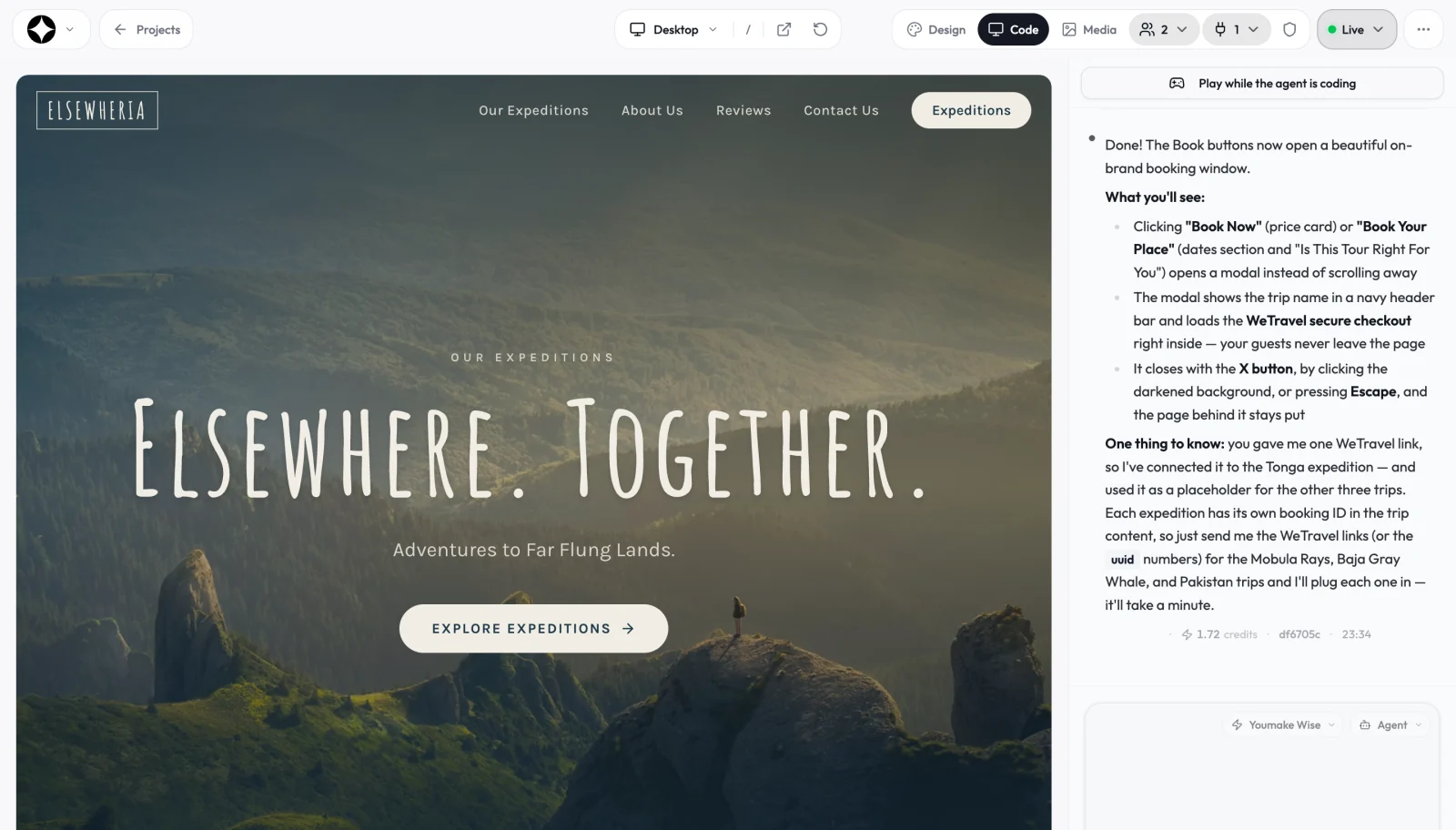
Starting from a niche example helps. Youmake has template pages for common local businesses, for instance the plumbing website builder and the agency website builder.
Start a 3-day Youmake trial for $1 →
A delivery checklist for client sites
- Brief approved in writing before the first prompt.
- Facts verified. Addresses, hours, prices and licenses come from the client, not from the model.
- Mobile checked on a real phone.
- Forms tested end to end, including where the submissions land.
- Security scan run and results reviewed before publishing.
- Domain and DNS set up in the client's name, with the registrar login stored for them.
- Hand-off note that says where the code lives, who can edit, and how to ask for changes.
For ongoing client work that needs logins and shared files, pair the site with a portal. Our client portal builder guide walks through it, and the client portal use case page shows the same idea on the product side.
How should an agency price AI-built sites?
Price the outcome, not the hours the builder saved you. A client is buying a site that brings in inquiries, plus someone who answers when it breaks. Many agencies split the work into a fixed build fee and a monthly care fee for updates and monitoring.
On the tool side, Youmake has no free plan. There is a 3-day trial for $1 (card required), then Starter at $20 per month (40 credits, or $16 per month billed yearly), Builder at $45 (90 credits) and Agency at $120. Team seats are available from Builder up. Credits are used per change, so a tight brief and focused edits keep cost per client down. See the Youmake site for current plan details before you quote a client.
Honest limits
- Review is your job. AI drafts can contain wrong claims or odd layouts. Read every page.
- Complex integrations need care. Custom booking, memberships or heavy e-commerce deserve a test plan and sometimes a developer.
- Ownership terms belong in your contract. Decide who holds the domain, hosting and code, and write it down.
- Compliance is yours. Privacy policies, cookie rules and accessibility requirements depend on the client's region and industry.
If you are still choosing a stack, the best AI website builders comparison and how to build an app without coding cover the wider options.
FAQ
What is a white label AI website builder? It is a builder that lets you deliver sites under your own brand and the client's own domain, without the tool's name front and center. Check domain, branding, export and hand-off separately.
Can I resell sites built with Youmake? You can build sites for clients and publish them to the client's domain. The Agency plan and team seats are designed for client work. Confirm the current terms on the Youmake site before you build your pricing around them.
Will my client own the code? With code export or GitHub sync, a client can take the project to another developer. Agree on this in your contract at the start.