v0 Alternative: When to Switch to Youmake (2026)
· by Khalid BABA
Looking for a v0 alternative? See what v0 does well, where builders outgrow it, and how to build the same site or app in Youmake, with a prompt you can paste.
If you searched for a v0 alternative, you probably liked how fast v0 turns a prompt into a screen and then hit a wall: a stack you did not choose, a per-user price, or a client who wants a finished site on their own domain. Youmake is an AI app builder for that second job. You describe a website, web app, mobile app or slide deck, watch it build in a live preview, and publish it to your own domain.
This guide is honest about where v0 is the better pick, then shows how to get the same result in Youmake.
What v0 is good at
According to v0's docs, v0 is "an AI agent that helps anyone create real code and full-stack apps and agents." It builds landing pages, dashboards, ecommerce stores and AI apps using Next.js, Tailwind and shadcn/ui, and deploys in one click to Vercel infrastructure.
That is a strong fit if you or your developer already live in Next.js and Vercel. The free plan is also real: v0's pricing page lists a limit of 7 messages a day, with Vercel deploys and GitHub sync included.
Why builders look for a v0 alternative
These are the usual reasons, and each one depends on your situation:
- You are not a Next.js developer. v0 produces code for a specific stack. If you want a finished site rather than a repository to maintain, that stack is overhead.
- You need more than web. v0's docs describe web apps. If the project also needs a mobile app or a pitch deck, you end up with several tools.
- Per-user pricing. v0's paid plans are billed per user, and the Business plan is listed at $100 per user per month. A solo freelancer is fine; a small team feels it.
- Client hand-off. An agency needs a site on the client's domain, with the code exportable if the relationship ends.
If none of those apply, stay on v0. It is good software.
v0 vs Youmake at a glance
| v0 | Youmake | |
|---|---|---|
| Builds | Landing pages, dashboards, stores, full-stack apps (Next.js) | Websites, web apps, mobile apps, slide decks |
| Free plan | Yes, 7 messages a day | No. 3-day trial for $1 (card required) |
| Paid pricing | Per user; Business is $100/user/month | Starter $20/mo (40 credits), Builder $45/mo (90 credits), Agency $120/mo |
| Hosting | One-click deploy to Vercel | Publish to your own domain |
| Code | GitHub sync | Export code, GitHub sync, import a GitHub repo |
| Security | Not covered on the pricing page | Security scan before publishing |
v0 details checked on v0.app on October 23, 2026. The v0 pricing page lists the Plus plan at both $30 and $90 per user per month without saying which is current, so check it before you decide.
Start a 3-day Youmake trial for $1 →
How to do this with Youmake
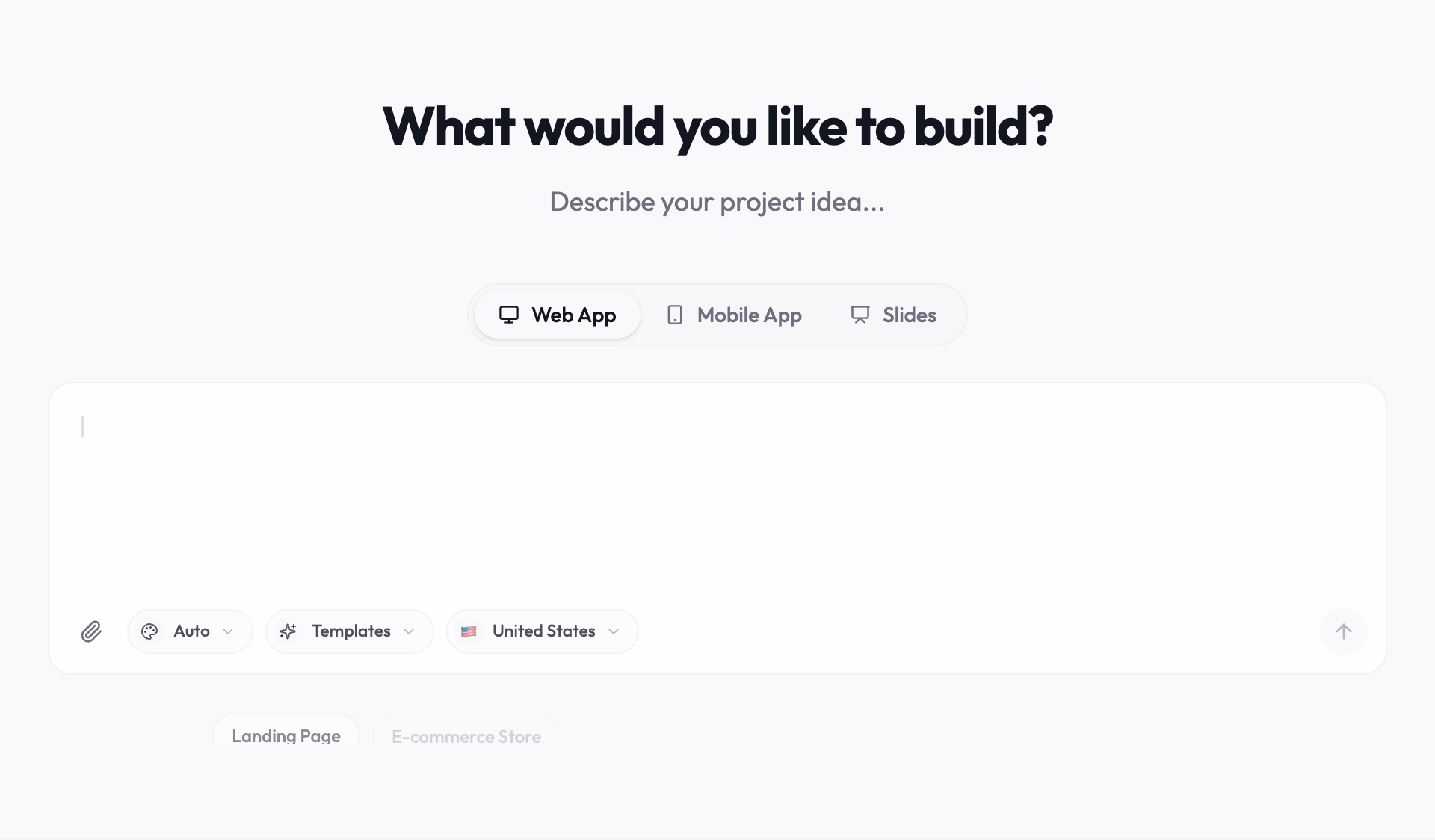
Here is how to rebuild a typical v0 project, such as a landing page with a pricing section and a signup form, in Youmake.
> Build a landing page for a freelance photographer in Austin. Sections: hero with a booking button, a three-package pricing table, a gallery, testimonials and a contact form. Warm neutral colors, large photography, mobile first.
Honest limits
- Youmake has no free plan. The entry point is the $1, 3-day trial, then paid plans.
- If your team standardizes on Next.js and shadcn/ui and wants every generated component in that exact stack, v0 is built for that.
- Credits are finite on every plan. Plan your prompts: one clear request usually beats five vague ones.
Other tools to compare
Not sure v0 is the one to replace? The best vibe coding tools roundup covers the field, and Lovable alternatives and Replit alternatives cover the two most searched comparisons. For a head-to-head, see Youmake vs Bolt and Youmake vs Lovable. New to this style of building? Start with what is vibe coding or how to start vibe coding. More tools and tutorials are in the vibe coding hub.
FAQ
Is there a free v0 alternative?
Free tiers exist across the category, but Youmake does not have one. It has a 3-day trial for $1 and paid plans from $20 a month. If free is the hard requirement, see free AI website builders.
Can I move a v0 project to Youmake?
Youmake can import a GitHub repository, and v0 syncs with GitHub, so you can bring the code over and keep building. Complex Next.js projects may need adjustments, so test on a copy first.
Which is better for a client website?
For a finished site on the client's domain with a clean hand-off, Youmake is built for it. For a Next.js app inside a developer team, v0 is a good fit.
Start a 3-day Youmake trial for $1 →
Sources
- https://v0.app/docs
- https://v0.app/pricing
- https://www.youmake.dev/
Facts checked on October 23, 2026.